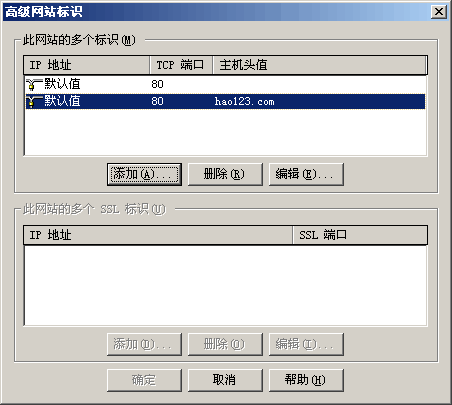
①.在IIS中给站点添加主机头,如hao123.com:
②.修改hosts文件(C:\WINDOWS\system32\drivers\etc\hosts,win2003)如下:
# Copyright (c) 1993-1999 Microsoft Corp.
#
# This is a sample HOSTS file used by Microsoft TCP/IP for Windows.
#
# This file contains the mappings of IP addresses to host names. Each
# entry should be kept on an individual line. The IP address should
# be placed in the first column followed by the corresponding host name.
# The IP address and the host name should be separated by at least one
# space.
#
# Additionally, comments (such as these) may be inserted on individual
# lines or following the machine name denoted by a '#' symbol.
#
# For example:
#
#      102.54.94.97     rhino.acme.com          # source server
#       38.25.63.10     x.acme.com              # x client host

127.0.0.1       localhost
[color=Red]127.0.0.1 hao123.com[/color]③.在IE中访问hao123.com:
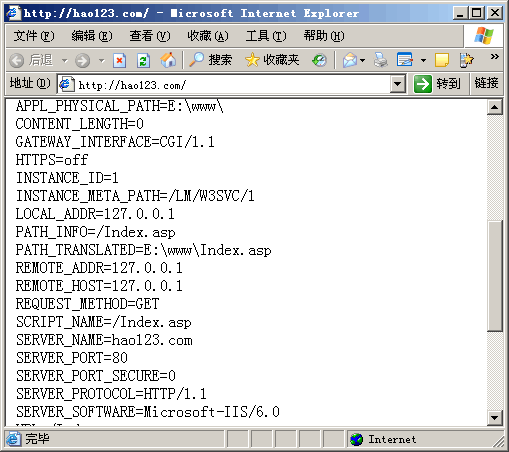
hao123.com域名现在是你的了,呵呵。
评论(0)
暂无评论。