Here are some examples of what content scripts can do:
·Find unlinked URLs in web pages and convert them into hyperlinks
·Increase the font size to make text more legible
·Find and process microformat data in the DOM
However, content scripts have some limitations. They cannot:
·Use chrome.* APIs (except for parts of chrome.extension)
·Use variables or functions defined by their extension's pages
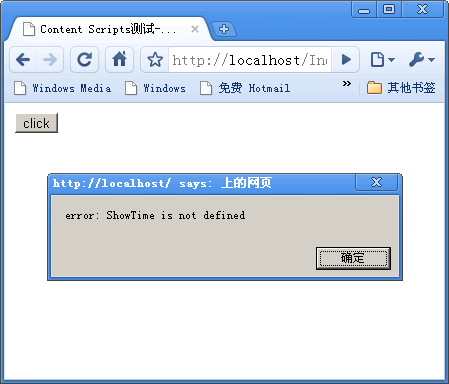
·Use variables or functions defined by web pages or by other content scripts
·Make cross-site XMLHttpRequests
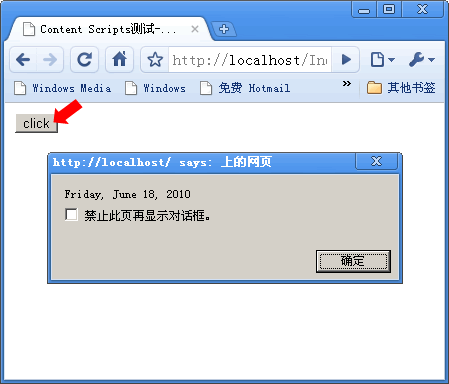
在刚开始制作Chrome Extensions时,老没记住,就做了个测试:
manifest.json:
{
  "name": "My First Extension",
  "version": "1.0",
  "description": "The first extension that I made.",
  "content_scripts": [
        {
            "matches": ["http://localhost/Index.htm"],
            "js": ["CallFun.js"]
        }
    ]
}CallFun.js:
try{ShowTime();}catch(e){alert("error: " + e.message);}Index.htm:
<!DOCTYPE html PUBLIC "-//W3C//DTD XHTML 1.0 Transitional//EN" "http://www.w3.org/TR/xhtml1/DTD/xhtml1-transitional.dtd">
<html xmlns="http://www.w3.org/1999/xhtml">
<head>
<meta http-equiv="Content-Type" content="text/html; charset=gb2312" />
<title>Content Scripts测试-Mzwu.Com</title>
</head>

<body>
<script language="Javascript" type="text/javascript">
function ShowTime()
{
	alert((new Date()).toLocaleDateString());
}
</script>
<input id="btnShowTime" type="button" value="click" onclick="ShowTime();" />
</body>
</html>预览效果:
评论(0)
暂无评论。