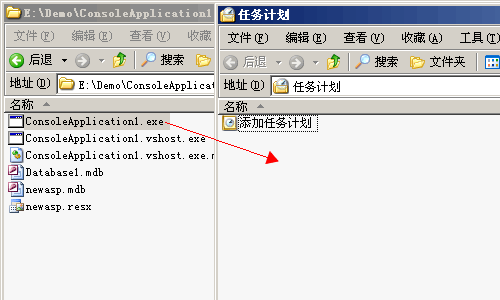
在控制面板中打开任务计划,将程序拖到任务计划窗口就可以了:
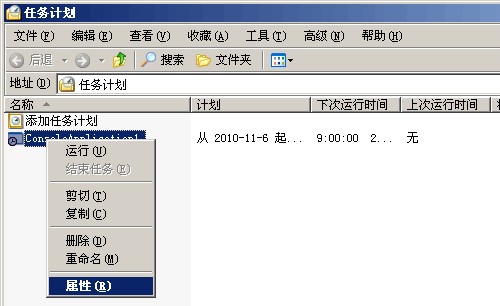
二、设置任务计划属性
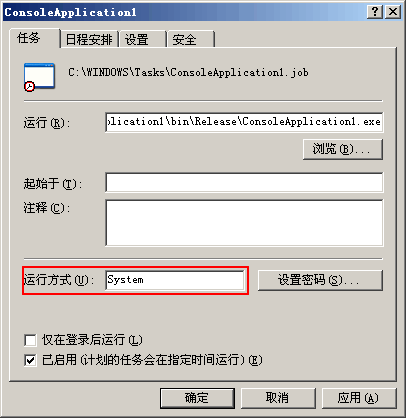
①.打开"任务"选项卡,将运行方式设置为"System":
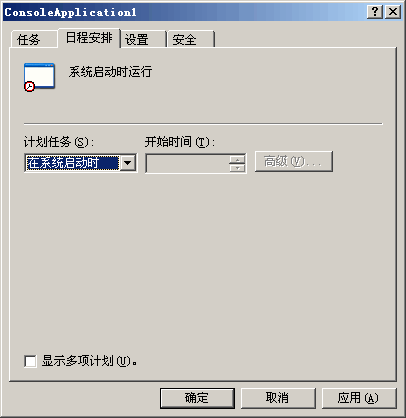
②.切换到"日程安排"选项卡,设置"在系统启动时"运行程序:
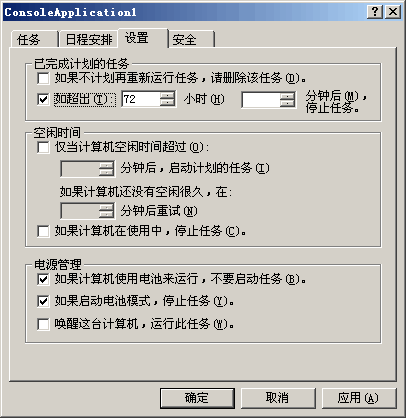
③.再切换到"设置"选项卡,将界面上的3个钩都去掉,保证程序能始终运行:
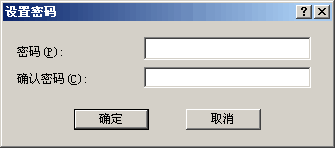
④.点击"确定"按钮,会弹出设置密码对话框,直接确定即可:
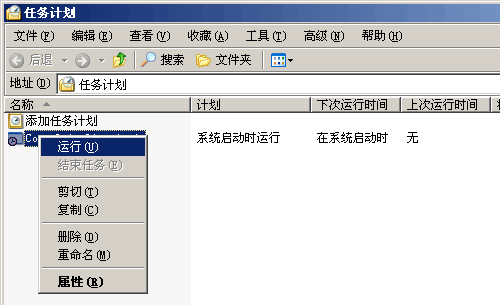
三、运行任务计划
附:ConsoleApplication1.exe代码
using System;
using System.IO;
using System.Timers;

namespace ConsoleApplication1
{
    class Program
    {
        static void Main(string[] args)
        {
            //定时任务
            Timer timer = new Timer(3000);
            timer.Elapsed += new ElapsedEventHandler(Done);
            timer.AutoReset = true;
            timer.Enabled = true;

            Console.ReadKey();
        }

        static void Done(object source, ElapsedEventArgs e)
        {
            File.AppendAllText(@"C:\plan.txt", DateTime.Now.ToString() + "\r\n");
        }
    }

}
评论(0)
暂无评论。