If you'd like to share a photo or video on Twitter, it must first be uploaded to a third-party website, as Twitter does not currently host any content other than Tweets.
Most of these sites will allow you the option to post your photo or video directly to Twitter, with the option to add a message if you want. Alternately, you can copy and paste their link to your photo or video into your Tweet on Twitter.com. Links to photos and videos from the sites listed here will display your media in Twitter's details pane so that your followers can see your picture or video without leaving their timeline. [1]
Twitter本身只能添加文本内容,如果你想添加图片或视频,可以通过第三方网站来完成。这些网站大都是Twitter的第三方应用,你可以在上边上传图片或视频并发布到Twitter中,并且它们能在Twitter中直接显示出来。
1.通过twitpic.com在Twitter中添加图片
①.打开twitpic.com,点击右上角的"Sign in with Twitter":

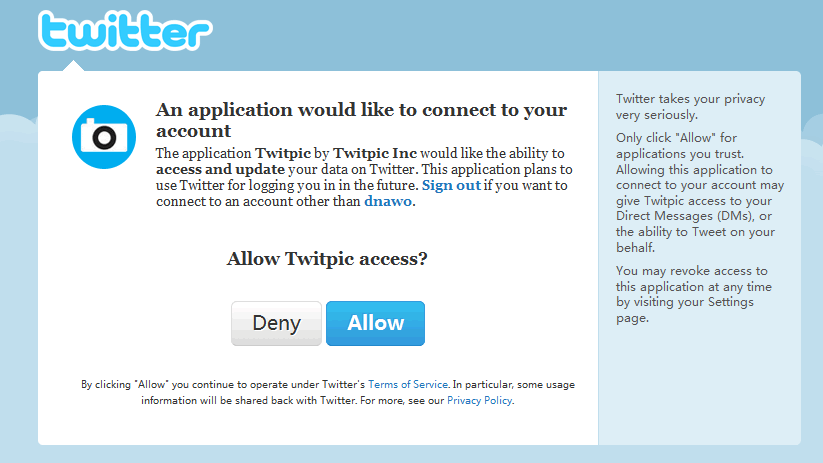
②.如果没有登录,将跳到Twitter登录页面,已经登录则跳到授权页面,点击"Allow":
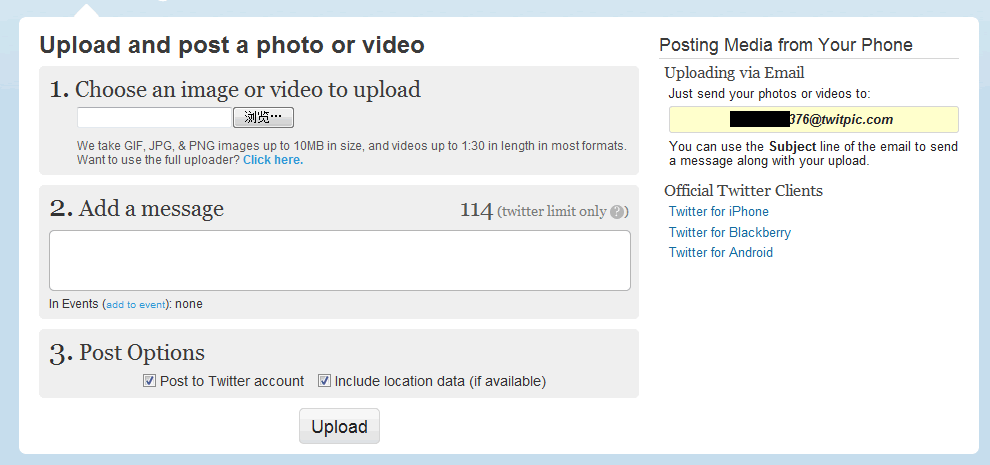
③.好了,在这个界面中就可以发布Twitter[2],注意钩选"Post to Twitter account":
2.管理Twitter应用
所有授权的应用,打开"Settings→Connections"就可以看到它们:
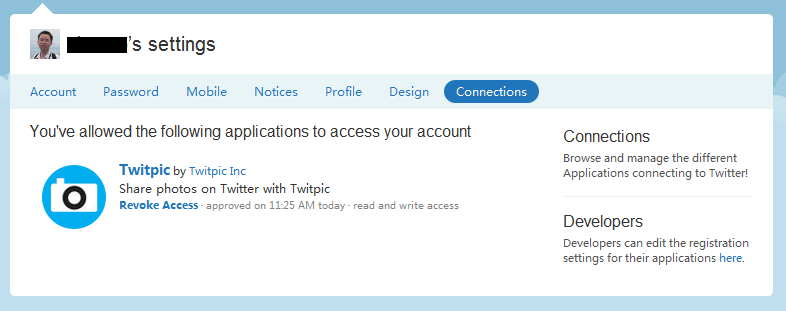
如果你想删除一些应用,点击"Revoke Access"即可。
3.其他说明
[1].How to Post Photos/Videos on Twitter
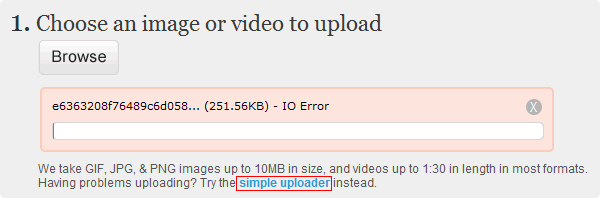
[2].如果在twitpic上传图片失败,可以尝试使用简单的图片上传工具:
评论(0)
暂无评论。