1.打开页面http://jqueryui.com/download,界面如下图所示:
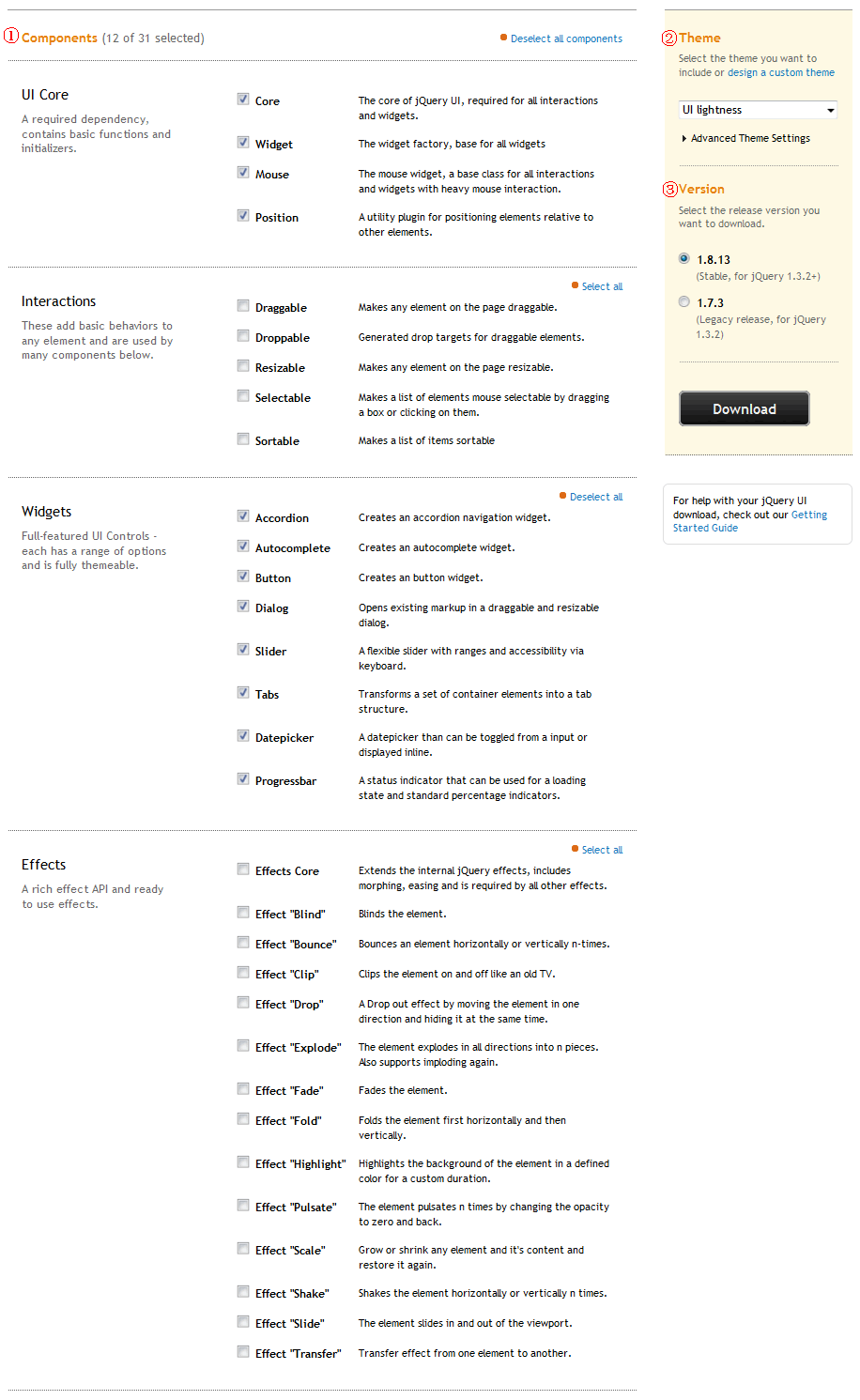
2.在区域①中钩选需要的组件(鼠标交互、饰件、效果),这关系到以后引用的js、css文件大小,按需选择吧;
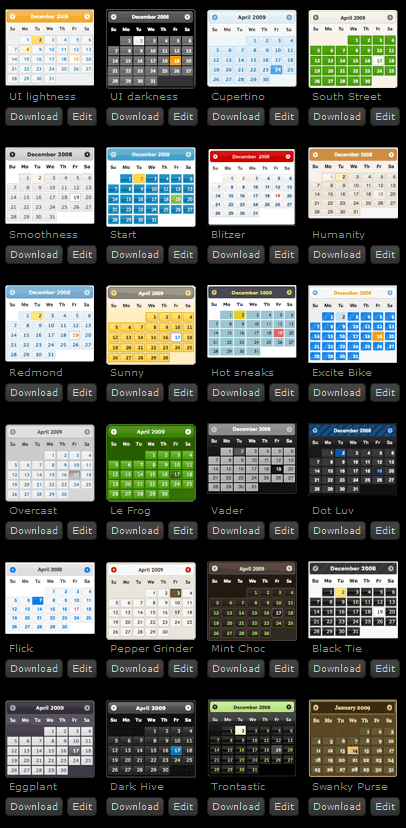
3.在区域②选择一款主题(外观),官方提供了24种,都不中意还可以点击这里自定义再下载:
4.在区域③选择jQuery UI版本,点击"Download"按钮即可下载。
二、使用jQuery UI
下载的zip包文件结构如下:
jquery-ui-1.8.13.custom.zip
├/css/
├/development-bundle/
├/js/
└index.html
将css和js文件夹复制到站点中,在页面中引用后即可使用jQuery UI:
<link href="css/trontastic/jquery-ui-1.8.13.custom.css" rel="stylesheet" type="text/css" />
<script src="js/jquery-1.5.1.min.js" type="text/javascript"></script>
<script src="js/jquery-ui-1.8.13.custom.min.js" type="text/javascript"></script>各组件使用方法参考:http://jqueryui.com/demos/
三、示例代码
<!DOCTYPE html PUBLIC "-//W3C//DTD XHTML 1.0 Transitional//EN" "http://www.w3.org/TR/xhtml1/DTD/xhtml1-transitional.dtd">

<html xmlns="http://www.w3.org/1999/xhtml">
<head>
    <title>jQuery UI使用示例-Mzwu.Com</title>
    <link href="Style/trontastic/jquery-ui-1.8.13.custom.css" rel="stylesheet" type="text/css" />
    <script src="Scripts/jquery-1.5.1.min.js" type="text/javascript"></script>
    <script src="Scripts/jquery-ui-1.8.13.custom.min.js" type="text/javascript"></script>
    <script type="text/javascript">
    $(document).ready(function(){
        // a workaround for a flaw in the demo system (http://dev.jqueryui.com/ticket/4375), ignore!
		$( "#dialog:ui-dialog" ).dialog( "destroy" );

		$( "#dialog-modal" ).dialog({
			height: 140,
			modal: true
		});
    });
    </script>
</head>
<body>
<div id="dialog-modal" title="Basic modal dialog">
	<p>Adding the modal overlay screen makes the dialog look more prominent because it dims out the page content.</p>
</div>
</body>
</html>
评论(0)
暂无评论。