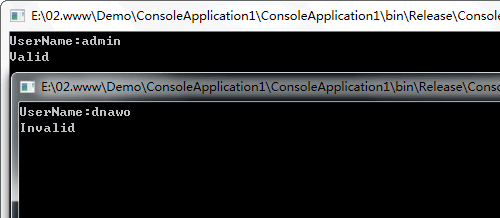
现在我们想修改下,不管用户输入什么用户名都返回是有效的。今天我们使用Reflector+csc.exe来对其进行修改。
一、使用Reflector将控制台应用程序(.exe)还原为.cs文件
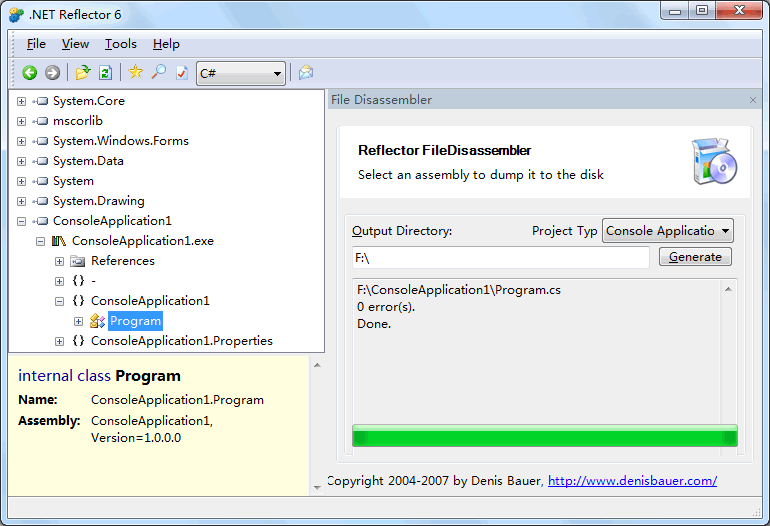
说明:Reflector需要安装FileDisassembler插件。
二、代码修改
用记事本打开Program.cs,修改代码如下:
namespace ConsoleApplication1
{
    using System;

    internal class Program
    {
        private static bool CheckUser(string username)
        {
            [color=Red]//return (username == "admin");
            return true;[/color]
        }

        private static void Main(string[] args)
        {
            Console.Write("UserName:");
            if (CheckUser(Console.ReadLine()))
            {
                Console.WriteLine("Valid");
            }
            else
            {
                Console.WriteLine("Invalid");
            }
            Console.ReadLine();
        }
    }
}三、使用csc.exe对.cs文件进行编译
csc.exe是VS自带的C#编译器,打开Visual Studio 2008 命令行工具,执行如下命令:
D:\Program Files\Microsoft Visual Studio 9.0\VC>csc.exe /out:F:\ConsoleApplicati
on1\c.exe F:\ConsoleApplication1\Program.cs
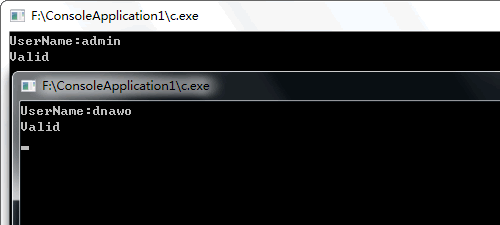
执行完成后,打开生成的c.exe看下效果:
评论(0)
暂无评论。