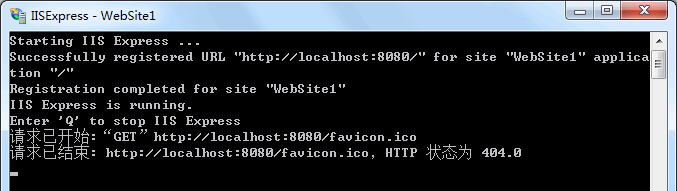
1.修改默认站点路径及端口
打开applicationhost.config[1],找到如下内容:
<site name="WebSite1" id="1" serverAutoStart="true">
    <application path="/">
        <virtualDirectory path="/" physicalPath="%IIS_SITES_HOME%\WebSite1" />
    </application>
    <bindings>
        <binding protocol="http" bindingInformation=":8080:localhost" />
    </bindings>
</site>修改为:
<site name="WebSite1" id="1" serverAutoStart="true">
    <application path="/">
        <virtualDirectory path="/" physicalPath="[color=red]E:\www[/color]" />
    </application>
    <bindings>
        <binding protocol="http" bindingInformation=":[color=red]80[/color]:localhost" />
    </bindings>
</site>说明:bindingInformation格式为:本机IP:端口:主机头
2.启用父路径
打开applicationhost.config,找到如下内容:
<asp scriptErrorSentToBrowser="true">
	<cache diskTemplateCacheDirectory="%TEMP%\iisexpress\ASP Compiled Templates" />
	<limits />
</asp>修改为:
<asp scriptErrorSentToBrowser="true" [color=Red]enableParentPaths="true"[/color]>
	<cache diskTemplateCacheDirectory="%TEMP%\iisexpress\ASP Compiled Templates" />
	<limits />
</asp>补充说明
[1].若直接运行iisexpress.exe,applicationhost.config位置为"我的文档\IISExpress\config\applicationhost.config";若带参数运行(快捷方式),applicationhost.config位置为"C:\Program Files\IIS Express\AppServer\applicationhost.config"。
评论(0)
暂无评论。