一、下载文件
CKEditor 4.0(ckeditor_4.0_standard.zip):http://ckeditor.com/download
CKFinder.NET 2.3(ckfinder_aspnet_2.3.zip):http://ckfinder.com/download
二、安装配置
1.安装CKEditor和CKFinder.NET
·解压ckeditor_4.0_standard.zip到/CKEditor文件夹下;
·解压ckfinder_aspnet_2.3.zip到/CKFinder文件夹下;
2.使用示例
Index.cshtml:
@model Web.Models.News
@{
    Layout = null;
}
<script type="text/javascript" src="/CKEditor/ckeditor.js"></script>
<script type="text/javascript" src="/CKFinder/ckfinder.js"></script>

@using (Html.BeginForm())
{
    <textarea id="Content" name="Content"></textarea>
    <button type="submit" name="submit">submit</button>
}
<script type="text/javascript">
    var editor1 = CKEDITOR.replace('Content');
    CKFinder.setupCKEditor(editor1, '/CKFinder/');
</script>效果预览:
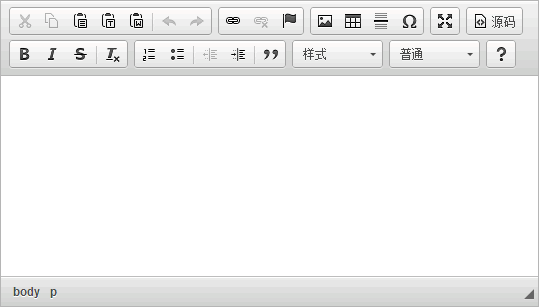
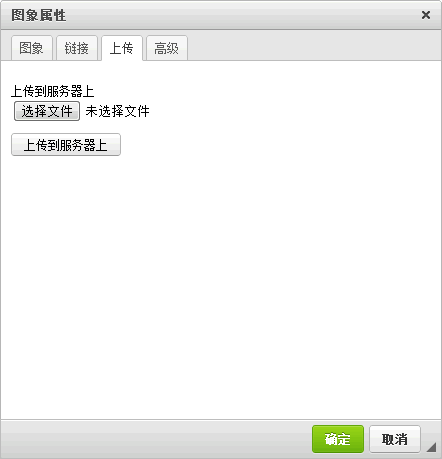
三、常见问题
问:怎么更改CKEditor工具栏中的按钮?
答:下边是一个简单的更改示例:
var editor1 = CKEDITOR.replace('Content', {
    toolbar: [
        ['Bold', 'Italic', 'Format' ],
        ['Cut', 'Copy', 'Paste', '-', 'Undo', 'Redo'],
        ['Link', 'Unlink', 'Anchor', 'Image', 'Table'],
        [ 'Maximize' ]
    ]
});如果你想让这个配置在所有CKEditor中生效,可以将其放在/CKEditor/config.js文件中:
config.toolbar = [
        ['Bold', 'Italic', 'Format'],
        ['Cut', 'Copy', 'Paste', '-', 'Undo', 'Redo'],
        ['Link', 'Unlink', 'Anchor', 'Image', 'Table'],
        ['Maximize']
];问:为什么CKEditor不能设置字体、大小和颜色?
答:CKEditor有三个版本:Basic、Standard和Full,经测试Full版中可以设置字体、大小和颜色。
config.toolbar = [
    ['Bold', 'Italic'],
    ['Font', 'FontSize'],
    ['TextColor', 'BGColor'],
    ['Cut', 'Copy', 'Paste', '-', 'Undo', 'Redo'],
    ['Link', 'Unlink', 'Anchor', 'Image', 'Table'],
    ['Maximize']
];问:上传文件时提示"因为安全原因,文件不可浏览。请联系系统管理员并检查CKFinder配置文件。"
答:打开/CKFinder/config.ascx文件,修改CheckAuthentication方法,例如设置用户登录时可上传文件:
public override bool CheckAuthentication()
{
    return HttpContext.Current.Session["LoginUserInfo"] != null;
}问:怎么修改CKFinder上传文件路径?
答:打开/CKFinder/config.ascx文件,修改SetConfig方法中的BaseUrl变量值即可,默认为"/ckfinder/userfiles/"。
问:为什么提交表单出错,提示从客户端检测到有潜在危险的 Request.Form 值?
答:在对应的Controller加上[ValidateInput(false)]即可。
评论(0)
暂无评论。