<%
	Response.ContentType = "application/json"
	Response.Write("{""page"":""test.asp""}")
%>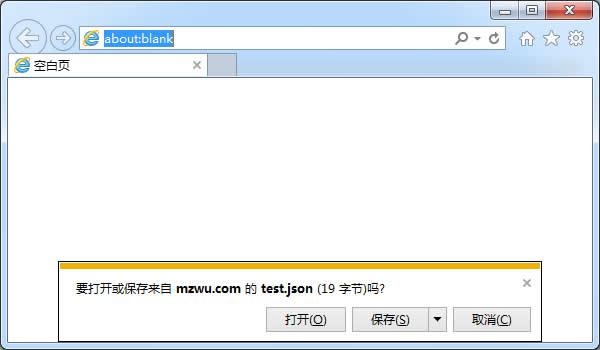
IE直接打开JSON不弹出保存对话框设置方法
将下边内容粘贴到记事本,保存为json-ie.reg:
Windows Registry Editor Version 5.00;
; Tell IE 7,8,9,10,11 to open JSON documents in the browser on Windows XP and later.
; 25336920-03F9-11cf-8FD0-00AA00686F13 is the CLSID for the "Browse in place" .
;
[HKEY_CLASSES_ROOT\MIME\Database\Content Type\application/json]
"CLSID"="{25336920-03F9-11cf-8FD0-00AA00686F13}"
"Encoding"=hex:08,00,00,00

[HKEY_CLASSES_ROOT\MIME\Database\Content Type\text/json]
"CLSID"="{25336920-03F9-11cf-8FD0-00AA00686F13}"
"Encoding"=hex:08,00,00,00双击导入注册表,重新打开IE即可浏览JSON:
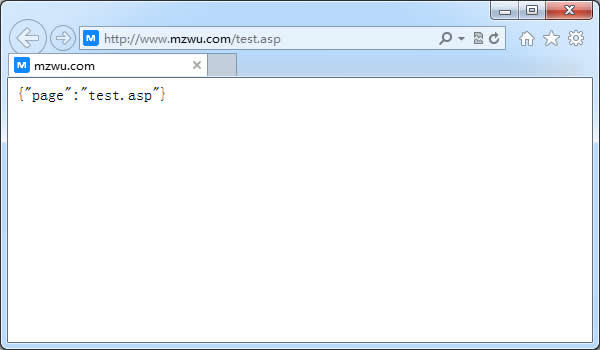
参考资料
[1].View JSON in Internet Explorer:http://www.codeproject.com/Tips/216175/View-JSON-in-Internet-Explorer
[2].How can I convince IE to simply display application/json rather than offer to download it?:http://stackoverflow.com/questions/2483771/how-can-i-convince-ie-to-simply-display-application-json-rather-than-offer-to-do
评论(0)
暂无评论。