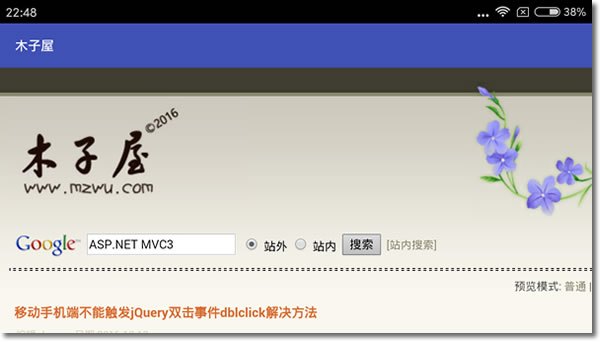
protected void onCreate(Bundle savedInstanceState) {
    super.onCreate(savedInstanceState);
    //setContentView(R.layout.activity_main);

    //WebView控件
    WebView webView = new WebView(this);
    webView.getSettings().setJavascriptEnabled(true);
    webView.loadUrl("http://www.mzwu.com/");
    //webView.loadUrl("file:///android_asset/Index.html");
    setContentView(webView);
    //禁止WebView调用系统浏览器或第三方浏览器
    webView.setWebViewClient(new WebViewClient() {
        public boolean shouldOverrideUrlLoading(WebView view, String url)
        {
            view.loadUrl(url);
            return true;
        }
    });
}记得在AndroidManifest.xml设置访问网络权限:
<?xml version="1.0" encoding="utf-8"?>
<manifest xmlns:android="http://schemas.android.com/apk/res/android"
    package="com.mzwu.www">

    <application
        android:allowBackup="true"
        android:icon="@mipmap/ic_launcher"
        android:label="@string/app_name"
        android:supportsRtl="true"
        android:theme="@style/AppTheme">
        <activity android:name=".MainActivity">
            <intent-filter>
                <action android:name="android.intent.action.MAIN" />
                <category android:name="android.intent.category.LAUNCHER" />
            </intent-filter>
        </activity>
    </application>
    [color=Red]<uses-permission android:name="android.permission.INTERNET"/>[/color]
</manifest>
评论(0)
暂无评论。