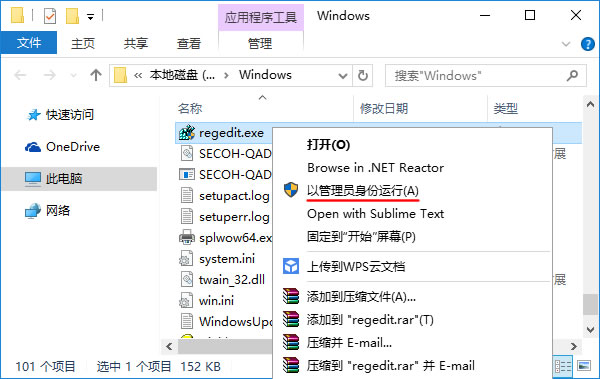
但有时应用程序确实需要修改系统目录、系统注册表等操作,在确保安全的前提下,用户可以右键单击应用程序,选择"以管理员身份运行"运行即可:

但对应用程序开发者来说,我们不能强迫用户去关闭UAC,最好也不要让用户每次手工选择以管理员身份运行,有没有办法自动弹出请求以管理员身份运行,用户只需选择是或否呢?
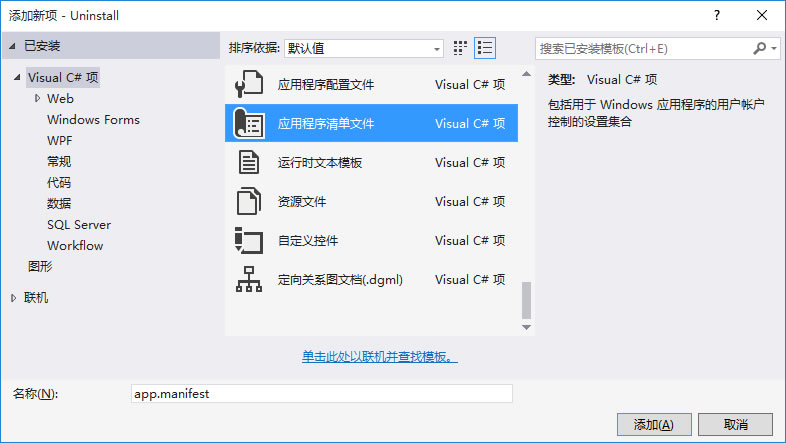
可以实现,给C#应用程序项目新建一个应用程序清单文件(app.manifest),然后将清单文件中 Windows 用户帐户控制级别由默认的asInvoker改为requireAdministrator,重新生成项目即可:
<trustInfo xmlns="urn:schemas-microsoft-com:asm.v2">
  <security>
    <requestedPrivileges xmlns="urn:schemas-microsoft-com:asm.v3">
      <!-- UAC 清单选项
            如果想要更改 Windows 用户帐户控制级别,请使用
            以下节点之一替换 requestedExecutionLevel 节点。n
      <requestedExecutionLevel  level="asInvoker" uiAccess="false" />
      <requestedExecutionLevel  level="requireAdministrator" uiAccess="false" />
      <requestedExecutionLevel  level="highestAvailable" uiAccess="false" />

          指定 requestedExecutionLevel 元素将禁用文件和注册表虚拟化。
          如果你的应用程序需要此虚拟化来实现向后兼容性,则删除此
          元素。
      -->
      <requestedExecutionLevel level="[color=Red]requireAdministrator[/color]" uiAccess="false" />
    </requestedPrivileges>
  </security>
</trustInfo>
评论(0)
暂无评论。