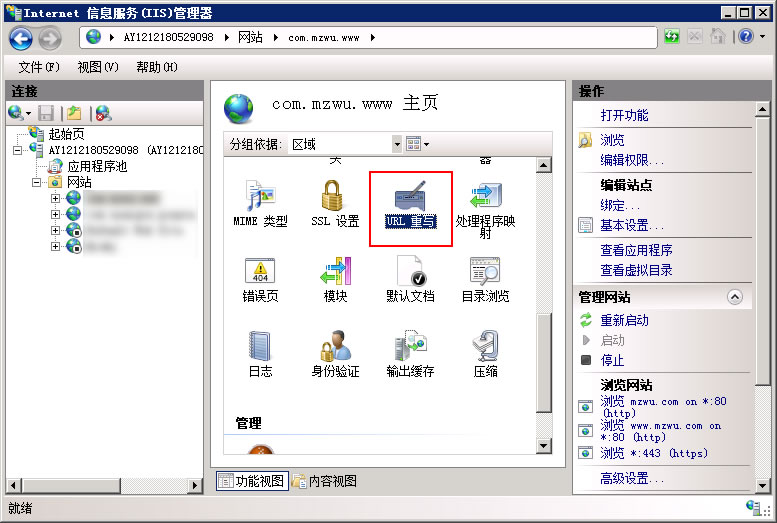
安装URL重写工具
URL重写工具下载地址:https://www.iis.net/downloads/microsoft/url-rewrite
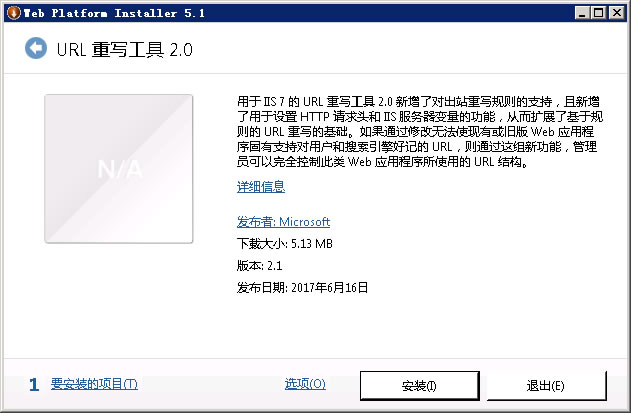
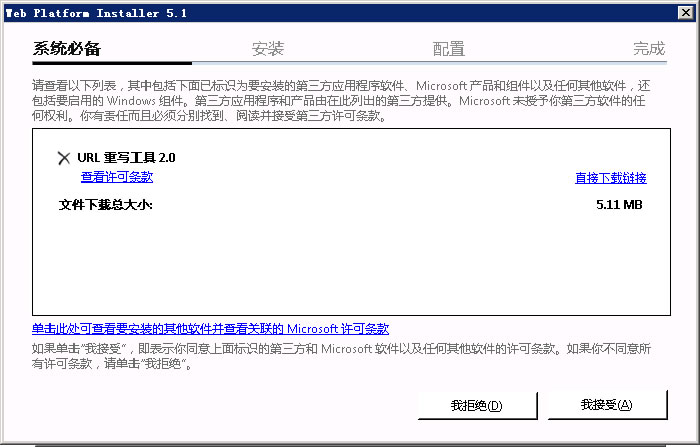
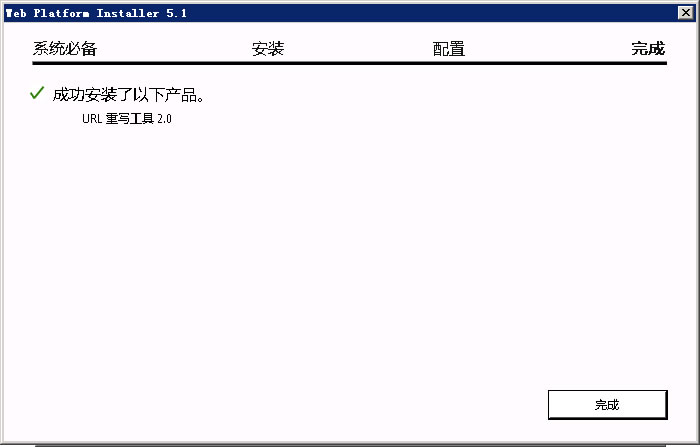
添加URL重写规则
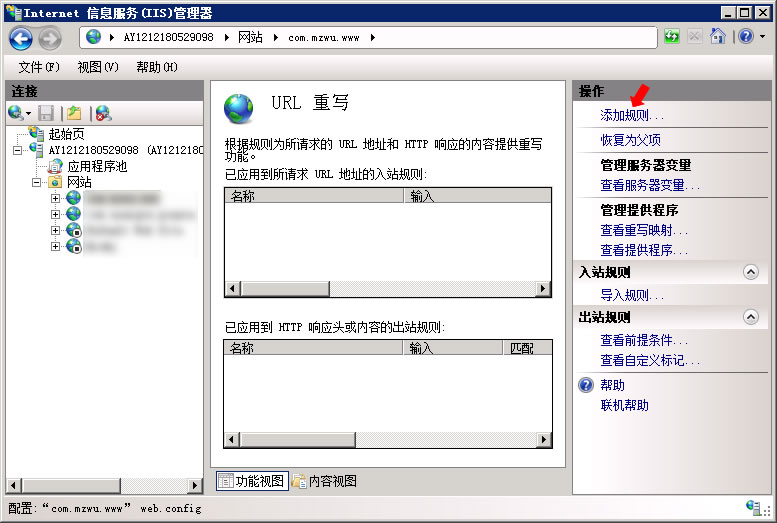
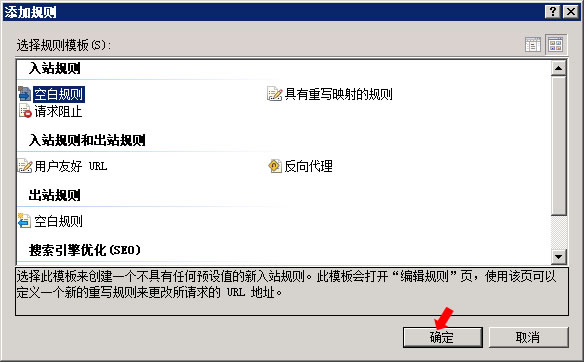
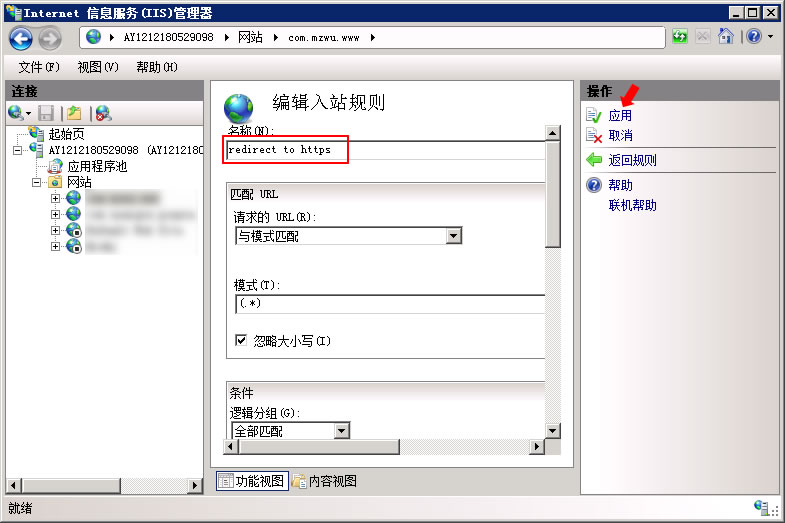
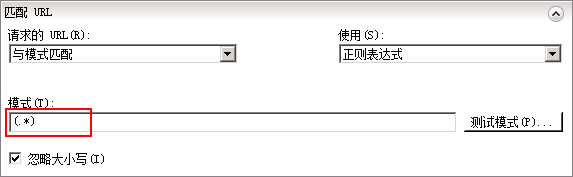
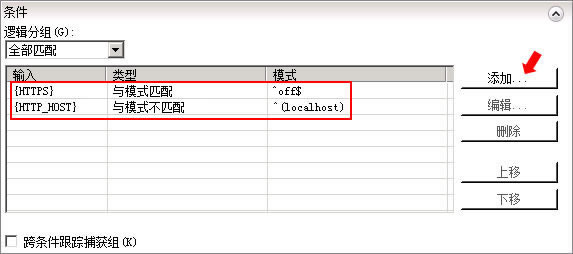
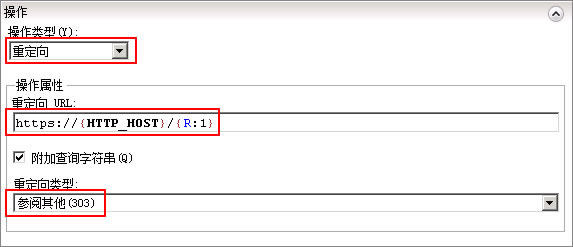
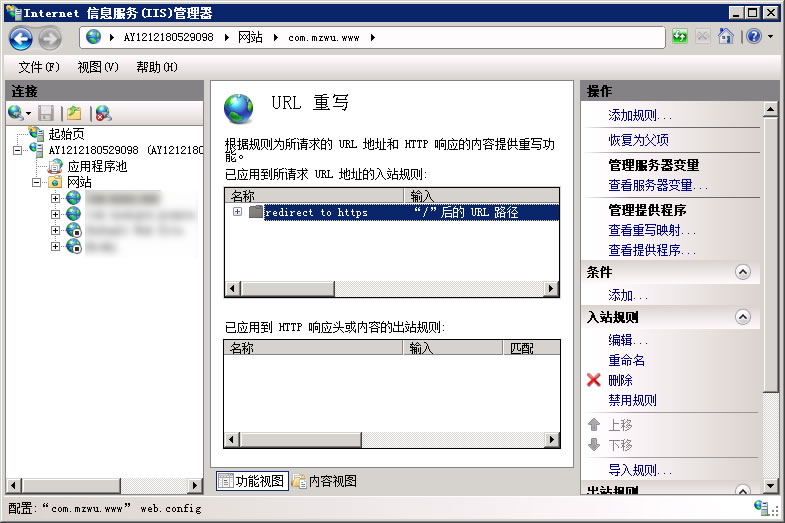
此时站点根目录下多出一个web.config文件:
<?xml version="1.0" encoding="UTF-8"?>
<configuration>
    <system.webServer>
        <rewrite>
            <rules>
                <rule name="redirect to https" stopProcessing="true">
                    <match url="(.*)" />
                    <conditions>
                        <add input="{HTTPS}" pattern="^off$" />
                        <add input="{HTTP_HOST}" pattern="^(localhost)" negate="true" />
                    </conditions>
                    <action type="Redirect" url="[i]https[/i]://{HTTP_HOST}/{R:1}" />
                </rule>
            </rules>
        </rewrite>
    </system.webServer>
</configuration>访问试下,http已经可以自动跳转到https了^_^
Back-references to condition patterns are identified by {C:N} where N is from 0 to 9; back-references to rule pattern are identified by {R:N} where N is from 0 to 9. Note that for both types of back-references, {R:0} and {C:0}, will contain the matched string.
参考资料
[1].URL Rewrite Module 2.0 Configuration Reference:https://docs.microsoft.com/en-us/iis/extensions/url-rewrite-module/url-rewrite-module-20-configuration-reference
[2].IIS配置Url重写实现http自动跳转https的重定向方法(100%解决):https://www.jianshu.com/p/9e00b4c03d70
[3].IIS7如何实现访问HTTP跳转到HTTPS访问:https://www.cnblogs.com/xiefengdaxia123/p/8542737.html
[4].详解IIS中的重写工具下关于操作重定向URL中的{R:N}与{C:N}:https://shiyousan.com/post/635648886502897428
评论(0)
暂无评论。