<!DOCTYPE html>
<html>
<head>
    <meta charset="utf-8" />
    <title></title>
    <meta name="viewport" content="width=device-width, initial-scale=1">
    <script src="http://code.jquery.com/jquery-1.12.4.min.js"></script>
</head>
<body>
    <form id="form1" enctype="multipart/form-data">
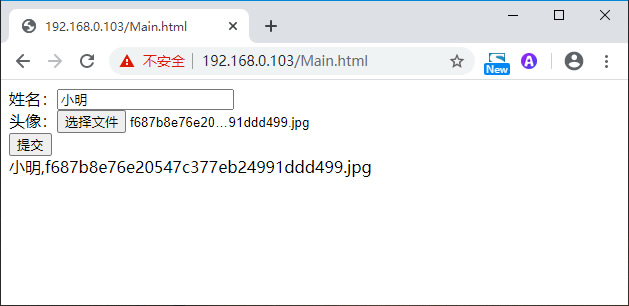
        姓名:<input type="text" name="UserName"><br/>
        头像:<input type="file" name="Photo"><br />
        <input type="button" id="save" value="提交" />
    </form>
    <div id="reslutDiv"></div>
    <script type="text/javascript">
        $(document).ready(function () {
            $("#save").click(function (evt) {
                $.ajax({
                    url: "/FileUploadHandler.ashx",
                    type: "Post",
                    cache: false,
                    data: new FormData($("#form1")[0]),
                    processData: false,
                    contentType: false,
                    success: function (result) {
                        $("#reslutDiv").html(result)
                    },
                    error: function (err) {
                        $("#reslutDiv").html(err.statusText)
                    }
                })
                evt.preventDefault();
            });
        });
    </script>
</body>
</html>服务器端ASP.NET—>FileUploadHandler.ashx:
public class FileUploadHandler : IHttpHandler
{

    public void ProcessRequest(HttpContext context)
    {
        string result = string.Empty;

        try
        {
            HttpPostedFile photo = context.Request.Files["photo"];
            photo.SaveAs(context.Server.MapPath(photo.FileName));

            result = context.Request.Form["username"] + "," + photo.FileName;
        }
        catch(Exception ex)
        {
            result = ex.Message;
        }

        context.Response.ContentType = "text/plain";
        context.Response.Write(result);
    }

    public bool IsReusable
    {
        get
        {
            return false;
        }
    }
}
评论(0)
暂无评论。