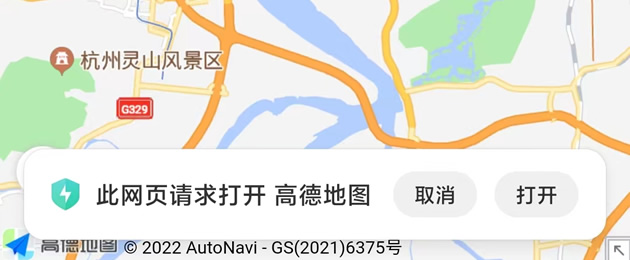
一、高德地图唤起链接
高德地图APP唤起链接(ios):
iosamap://path?sourceApplication=&slat=&slon=&sname=&dlat=&dlon=&dname=&dev=&t=
高德地图APP唤起链接(android):
amapuri://route/plan/?sourceApplication=&slat=&slon=&sname=&dlat=&dlon=&dname=&dev=&t=
高德地图WEB版链接:
https://uri.amap.com/navigation?from=&to=&mode=&policy=&src=&callnative=
二、HTML5唤起高德地图APP示例
实现思路:先用高德地图APP链接尝试唤起APP,如果唤起失败,则打开高德地图WEB版代替,具体代码如下(安全密钥和key需替换成自己的):
<!doctype html>
<html>
<head>
    <meta charset="utf-8">
    <title>HTML5唤起高德地图APP示例</title>
    <meta name="viewport" content="initial-scale=1.0, user-scalable=no">
    <!-- 高德地图安全密钥,必须在JSAPI脚本加载之前进行设置,否则设置无效。 -->
    <script type="text/javascript">
        window._AMapSecurityConfig = {
            securityJsCode:'bf6265ecbc9e4ebff9c297369b9b106d',
        }
    </script>
    <script src="[i]https[/i]://webapi.amap.com/maps?v=2.0&key=f016c324446cdc91ea3297560d1d5925&plugin=AMap.Geolocation" type="text/javascript"></script>
    <script src="[i]https[/i]://libs.baidu.com/jquery/1.9.0/jquery.min.js"></script>
</head>

<body>
    <script type="text/javascript">
        $(document).ready(function(){
            //根据手机系统获取scheme
            function getScheme(){
                let agent = navigator.userAgent.toLowerCase();
                if(agent.indexOf("iphone") != -1 || agent.indexOf("ipad") != -1){
                    return "iosamap://path";
                }else{
                    return "amapuri://route/plan";
                }
            }
            //唤起高德地图APP(注意url需要plugin参数)
            function openAMap(lng, lat, address) {
                let geolocation = new AMap.Geolocation();
                geolocation.getCurrentPosition(function(status,result){
                    if(status=="complete"){
                        let app_url = `${getScheme()}?sourceApplication=com.mzwu.www&slat=${result.position.lat}&slon=${result.position.lng}&sname=我的位置&dlat=${lat}&dlon=${lng}&dname=${address}&dev=0&t=0`;
                        let web_url = `[i]https[/i]://uri.amap.com/navigation?from=${result.position.lng},${result.position.lat},我的位置&to=${lng},${lat},${address}&mode=car&policy=1&src=com.mzwu.www&callnative=0`;

                        //尝试唤起高德地图App
                        window.location.href = app_url;

                        //唤起失败打开Web高德地图
                        var startTime = Date.now();
                        var count = 0;

                        var t = setInterval(function () {
                            if (++count < 30) {
                                return;
                            }
                            if (Date.now() - startTime > 800) {
                                clearInterval(t);
                            }
                            if (!(document.hidden || document.webkitHidden)) {
                                window.location.href = web_url;
                            }
                        }, 20);

                        window.onblur = function () {
                            clearInterval(t);
                        };
                    }else{
                        alert("获取不到定位,请检查手机设置!");
                    }
                });
            }

            openAMap(120.149027,30.255584,'西湖断桥');
        });
    </script>
</body>
</html>高德地图WEB版链接的callnative参数也具有唤起APP的功能,所以可以利用WEB版间接唤起APP,openAMap方法修改如下:
function openAMap(lng, lat, address) {
	var geolocation = new AMap.Geolocation();
	geolocation.getCurrentPosition(function(status,result){
		if(status=="complete"){
			let web_url = `[i]https[/i]://uri.amap.com/navigation?from=${result.position.lng},${result.position.lat},我的位置&to=${lng},${lat},${address}&mode=car&policy=1&src=com.mzwu.www&[color=Red]callnative=1[/color]`;
			window.location.href = web_url;
		}else{
			alert("获取不到定位,请检查手机设置!");
		}
	});
}#ios端#android端#web版
相关链接
[1].路径规划(ios端):https://lbs.amap.com/api/amap-mobile/guide/ios/route
[2].路径规划(android端):https://lbs.amap.com/api/amap-mobile/guide/android/route
[3].路径规划(web端):https://lbs.amap.com/api/uri-api/guide/travel/route
[4].高德获取当前定位:https://lbs.amap.com/api/jsapi-v2/guide/services/geolocation
评论(0)
暂无评论。