OpenClaw接入飞书消息通道后,即可以在飞书接收和回复OpenClaw消息。
1、创建机器人
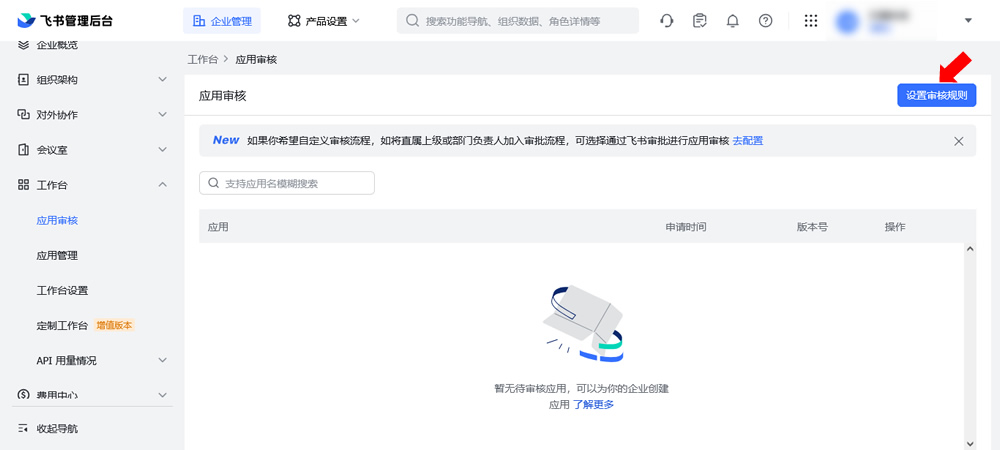
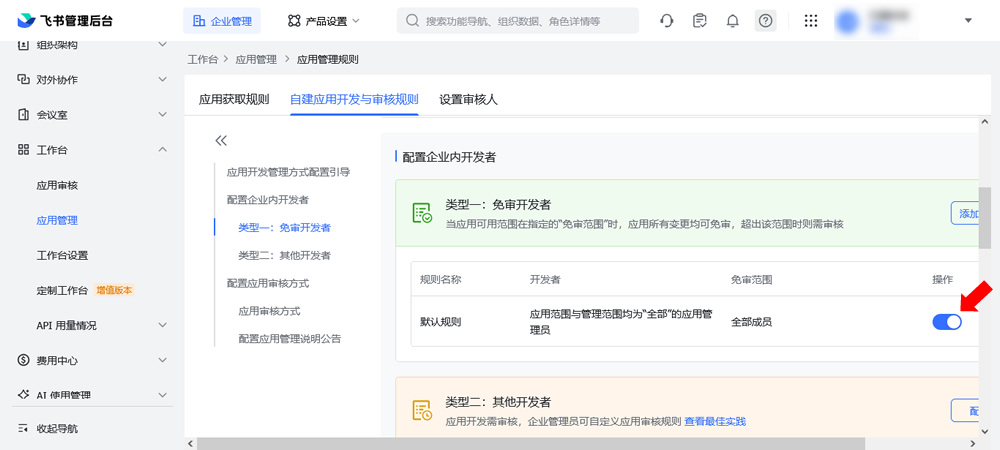
Ⅰ.开启应用免审
在飞书管理后台开启应用免审,避免后面发布应用都得手工审核的麻烦。
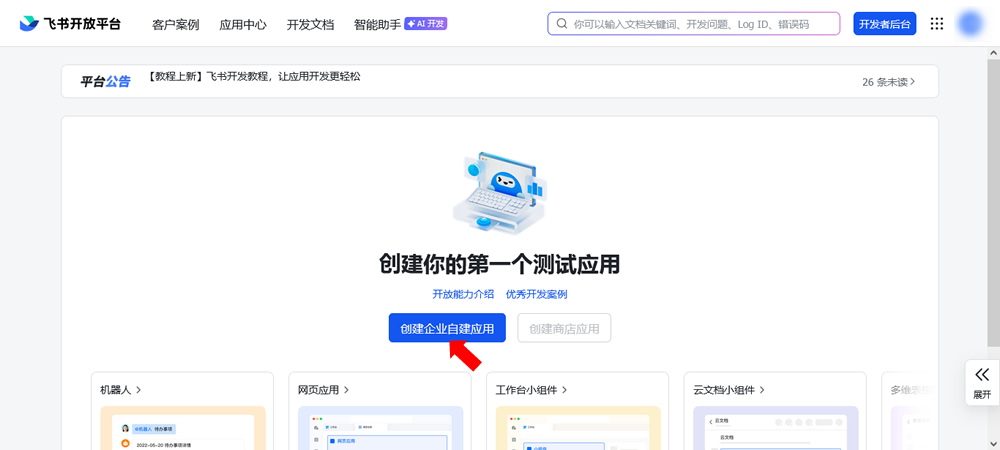
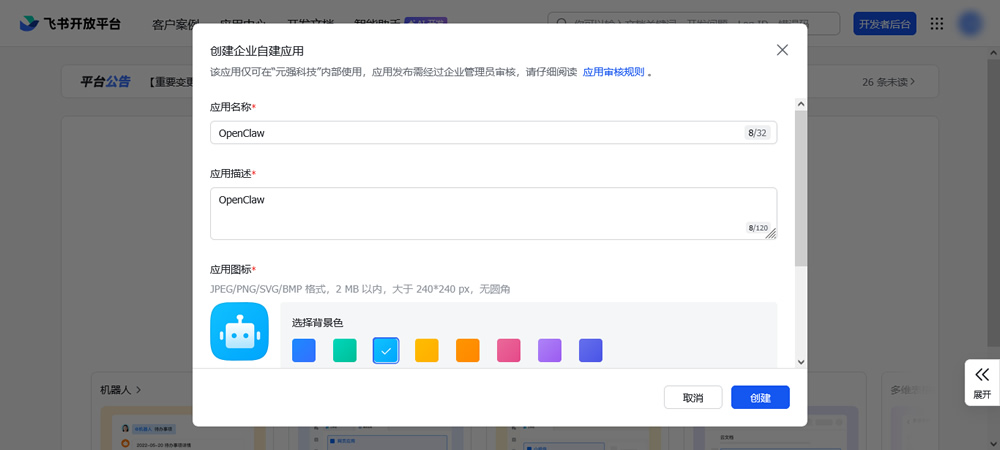
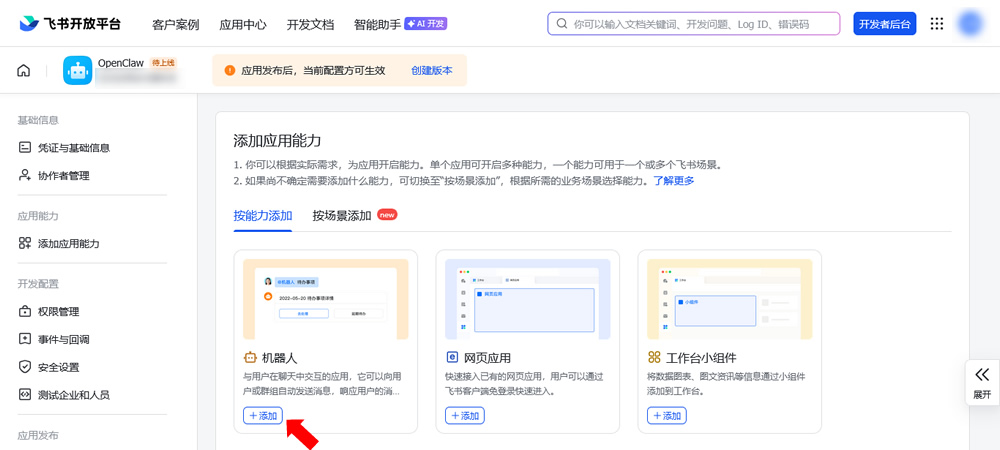
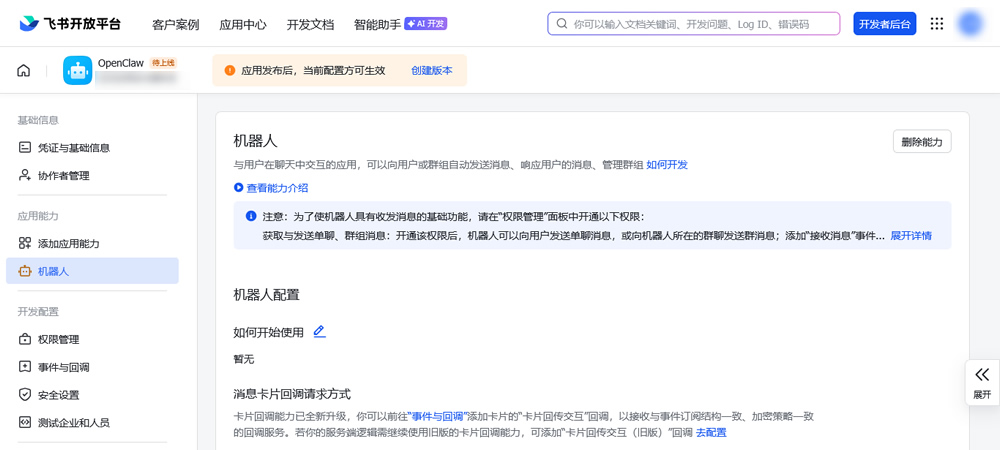
Ⅱ.创建应用和机器人
在飞书开发平台创建一个应用,添加机器人:
Ⅲ.配置事件和回调
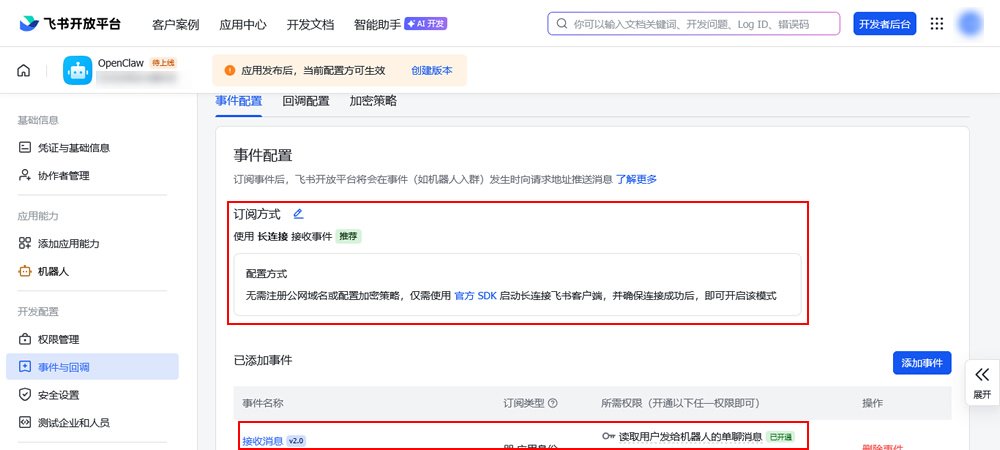
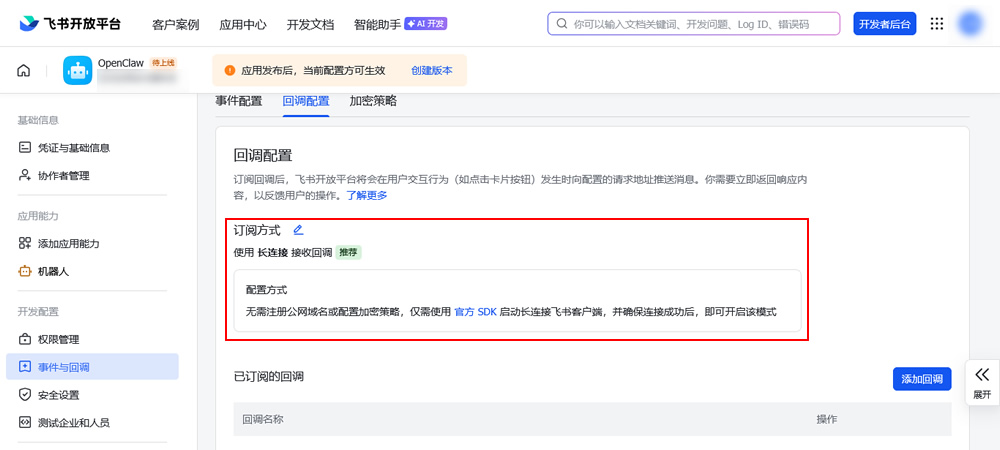
Tips:推荐添加接收消息、消息已读、机器人进群、机器人被移出群这几个事件。
Ⅳ.开通权限
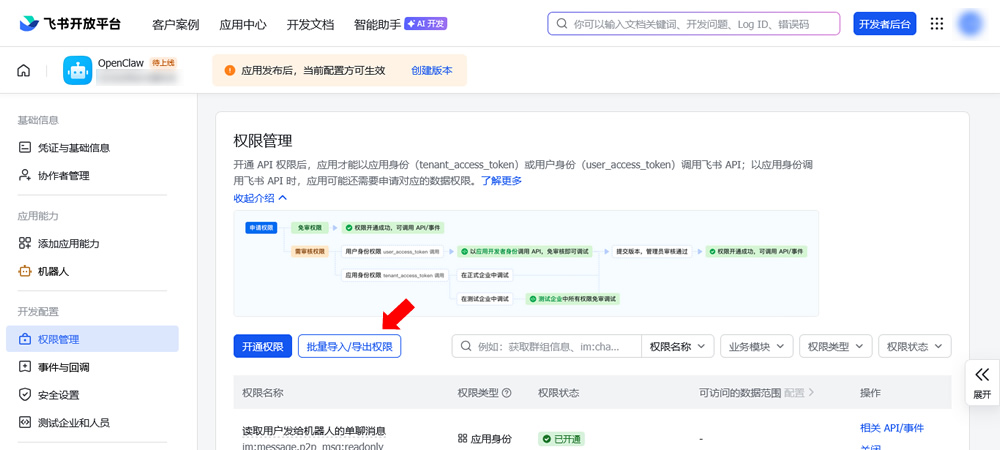
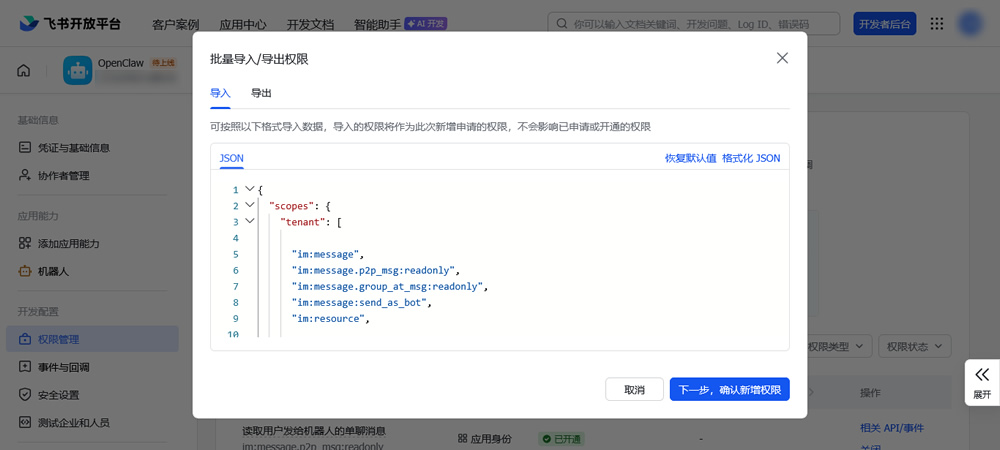
{
"scopes": {
"tenant": [
"im:message",
"im:message.p2p_msg:readonly",
"im:message.group_at_msg:readonly",
"im:message:send_as_bot",
"im:resource",
"contact:user.base:readonly",
"im:message.group_msg",
"im:message:readonly",
"im:message:update",
"im:message:recall",
"im:message.reactions:read",
"docx:document:readonly",
"drive:drive:readonly",
"wiki:wiki:readonly",
"bitable:app:readonly",
"task:task:read",
"contact:contact.base:readonly",
"docx:document",
"docx:document.block:convert",
"drive:drive",
"wiki:wiki",
"bitable:app",
"task:task:write"
],
"user": []
}
}
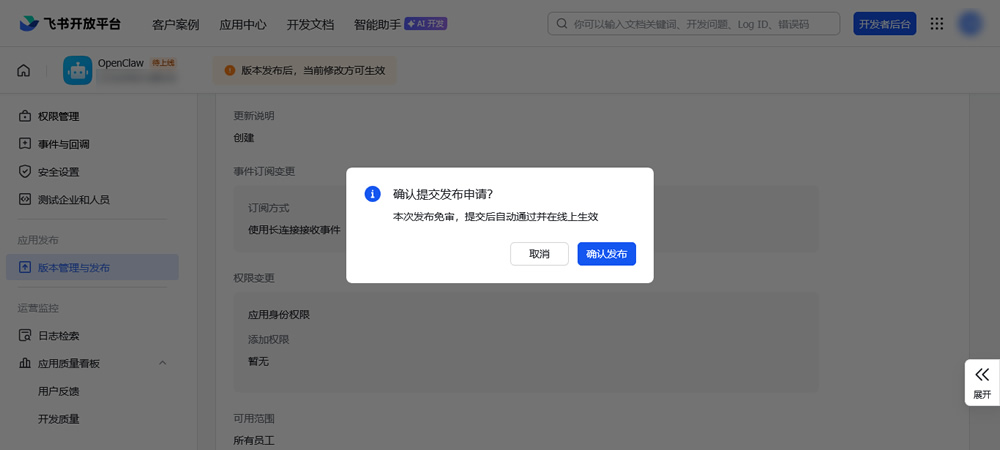
Ⅴ.发布应用
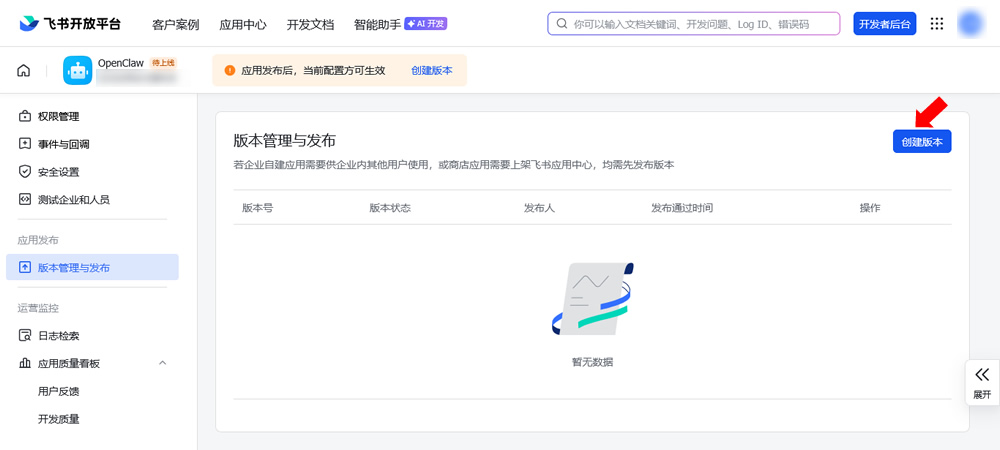
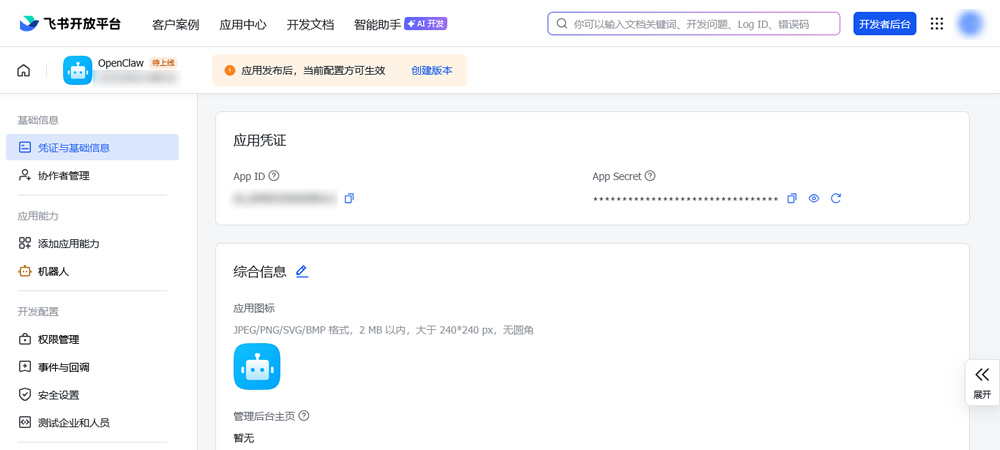
Ⅵ.复制App ID和App Secret
2、配置OpenClaw通道
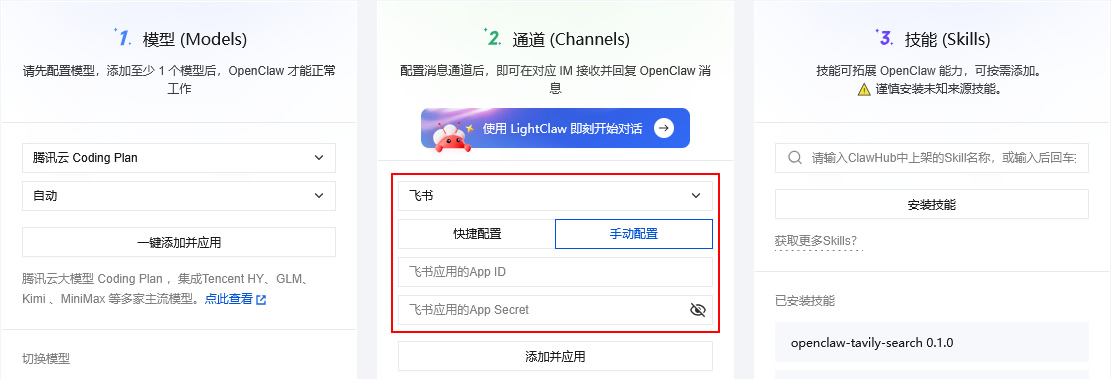
在腾讯云轻量应用服务器实例Lighthouse部署OpenClaw,粘贴应用App ID和App Secret添加消息通道:
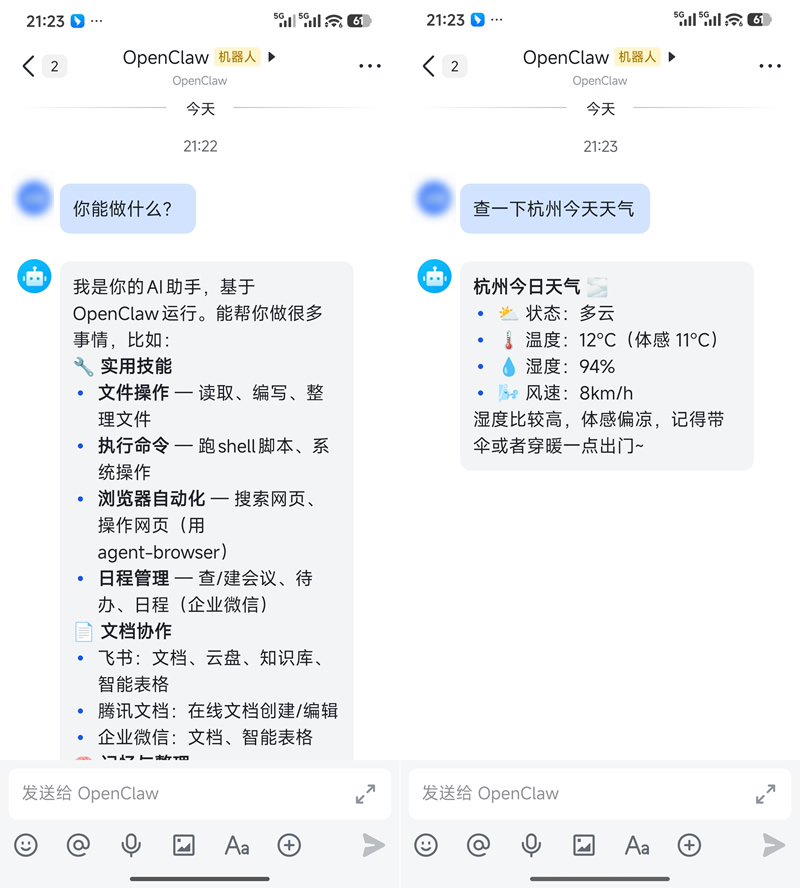
OK,在飞书搜索机器人,然后就可以接收和回复OpenClaw消息了:
如果回复以下内容,将最后一句命令复制到终端执行一下即可:
OpenClaw: access not
configured.
Your Feishu user id:
ou_7071d2f8514f002ab9d74dca
cd4ba129
Pairing code: HZAGA940
Ask the bot owner to approve
with:
openclaw pairing approve
feishu HZAGA940
相关链接
[1].腾讯云轻量应用服务器:https://cloud.tencent.com/product/lighthouse
[2].飞书管理后台:https://ripqbm2y7p.feishu.cn/admin/index
[3].飞书开发平台:https://open.feishu.cn/
[4].云上OpenClaw快速接入飞书指南:https://cloud.tencent.com/developer/article/2626151
评论(0)
暂无评论。