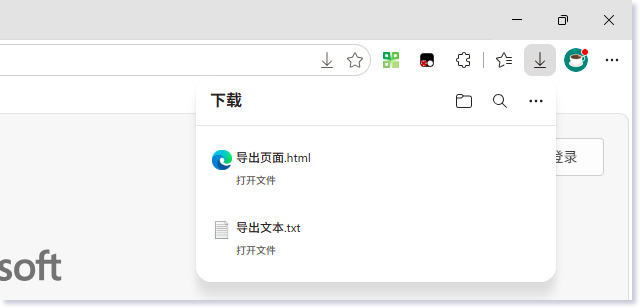
受浏览器安全沙箱限制,在控制台不能直接生成本地文件,只能通过触发浏览器下载行为,间接实现在磁盘生成文件。
1、生成文本文件
// 要保存的内容和文件名
const content = "控制台导出文本测试\n换行测试";
const filename = "导出文本.txt";
// 生成文件Blob
const blob = new Blob([content], { type: "text/plain" });
// 创建下载链接
const a = document.createElement("a");
a.href = URL.createObjectURL(blob);
a.download = filename;
a.click();
URL.revokeObjectURL(a.href);
2、生成html文件
// 要保存的内容和文件名
const content = "<h1>控制台导出页面</h1>";
const filename = "导出页面.html";
// 生成文件Blob
const blob = new Blob([content], { type: "text/html" });
// 创建下载链接
const a = document.createElement("a");
a.href = URL.createObjectURL(blob);
a.download = filename;
a.click();
URL.revokeObjectURL(a.href);3、生成json文件
// 要保存的内容和文件名
const content = {status:0, message:"无法获取IP地址"};
const filename = "导出数据.json";
// 生成文件Blob
const jsonStr = JSON.stringify(content, null, 2);
const blob = new Blob([jsonStr], { type: "application/json" });
// 创建下载链接
const a = document.createElement("a");
a.href = URL.createObjectURL(blob);
a.download = filename;
a.click();
URL.revokeObjectURL(a.href);
评论(0)
暂无评论。