


不错呦!smile@林凯西,确保“准备文件”中的几个文件都有安装,S...您好,看了您这篇帖子觉得很有帮助。但是有个问题想请...我的修改过了怎么还被恶意注册呢 @jjjjiiii 用PJ快9年了,主要是A...PJ3啊,貌似很少有人用PJ了,现在不是WP就是z...@332347365,我当时接入时错误码没有-10...楼主,ChkValue值应为-103是什么意思呢?...大哥 你最近能看到我发的信息,请跟我联系,我有个制...
借助nt6 hdd installer硬盘安装64位Windows7旗舰版示例
编辑:dnawo 日期:2015-01-13
第一步:解压64位Windows7的iso到非系统分区的根目录,同时复制nt6 hdd installer到该分区根目录
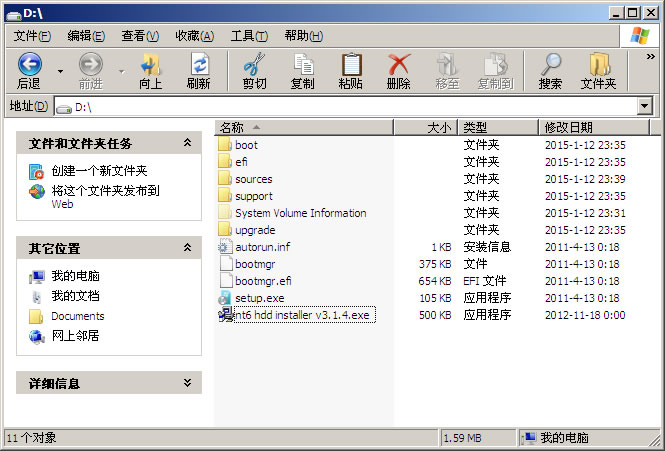
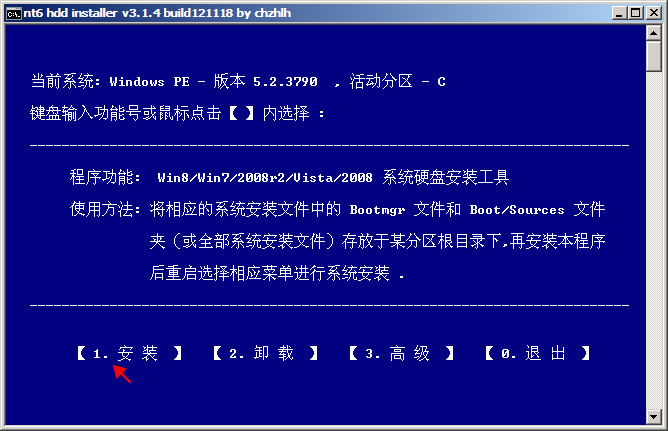
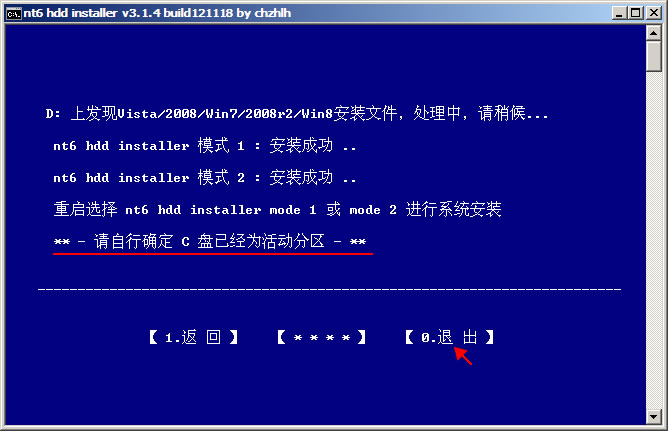
第二步:运行nt6 hdd installer添加引导程序[1]
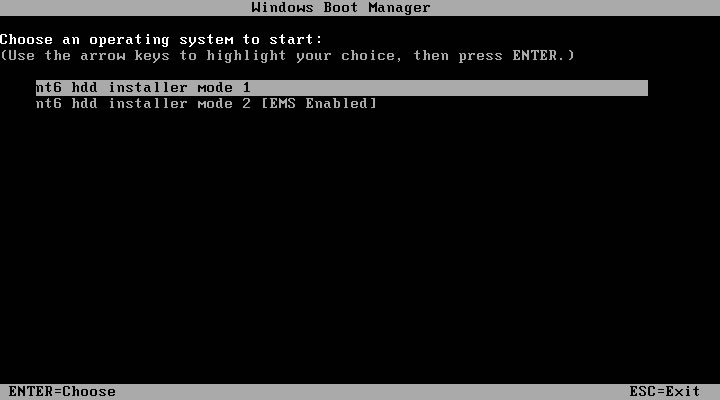
第三步:重启电脑,选择“nt6 hdd installer mode 1”开始安装Windows7
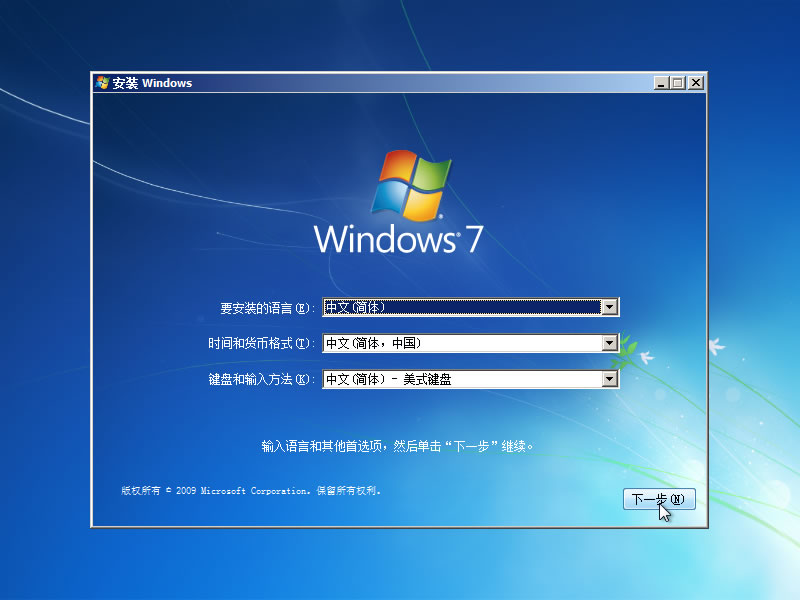
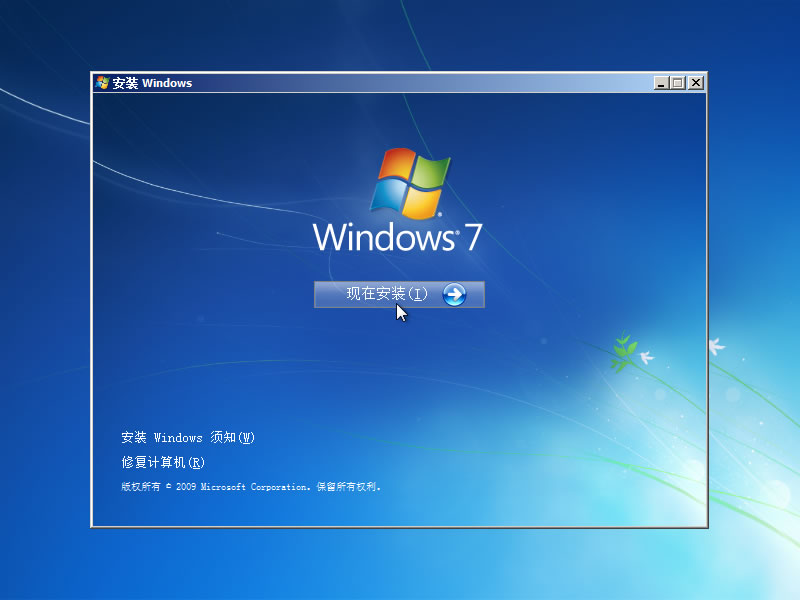
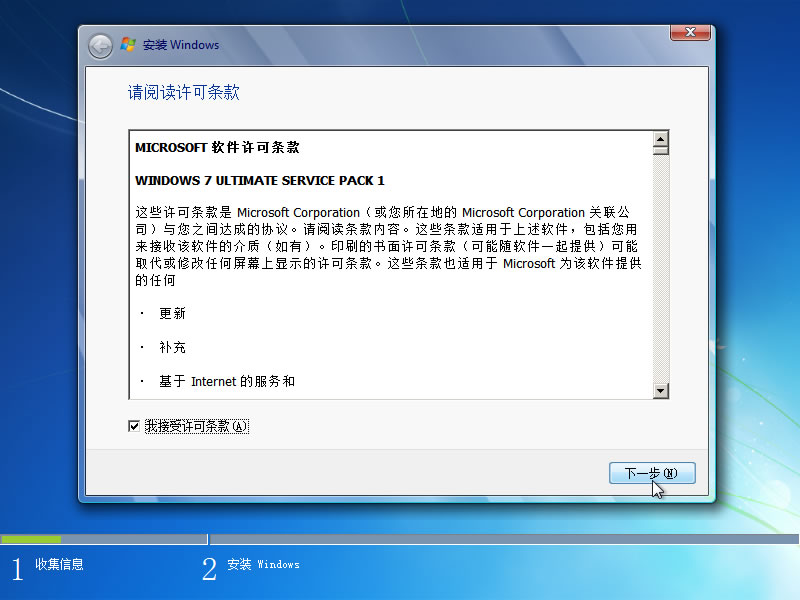
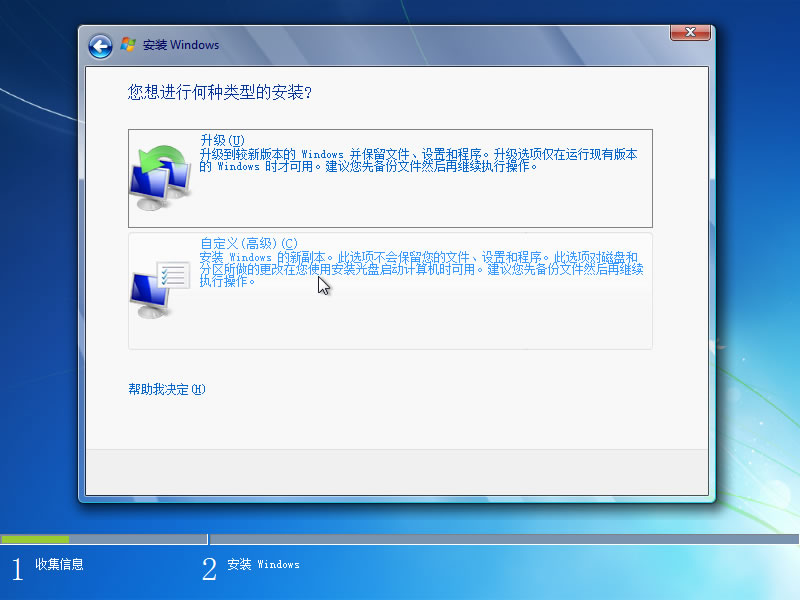
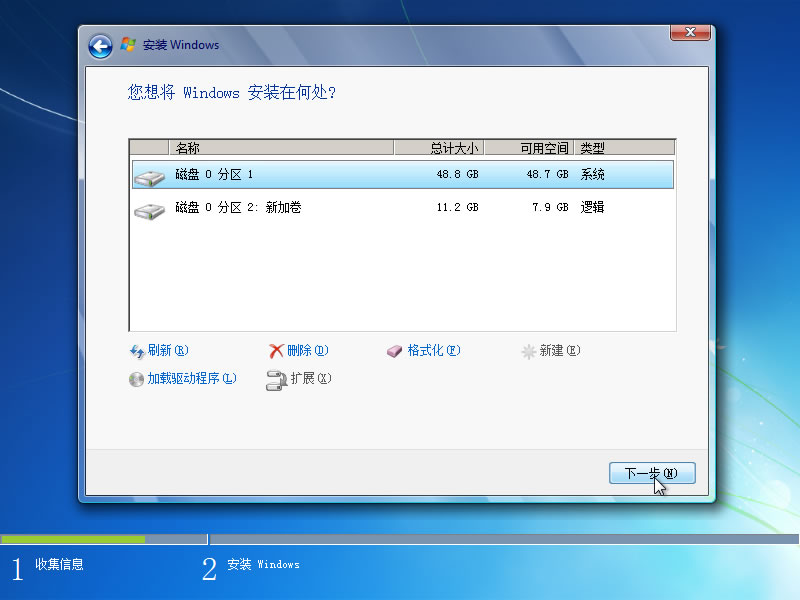
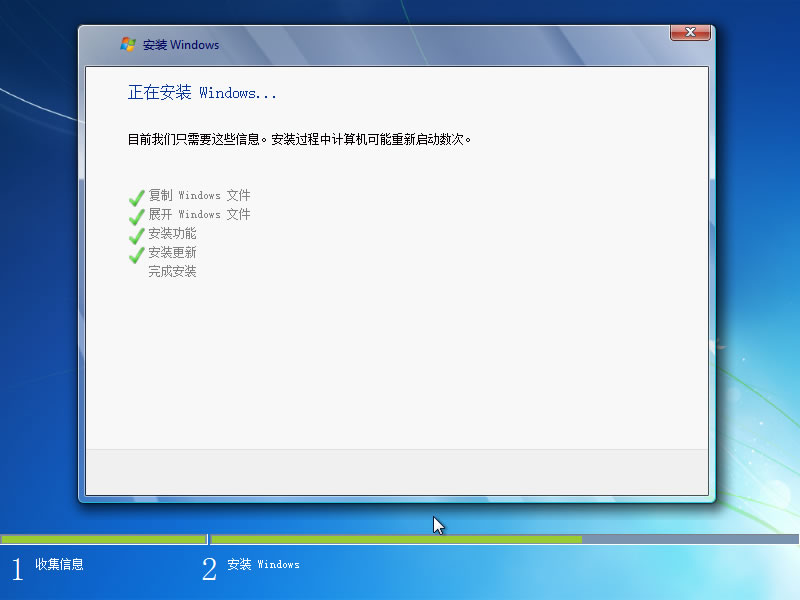
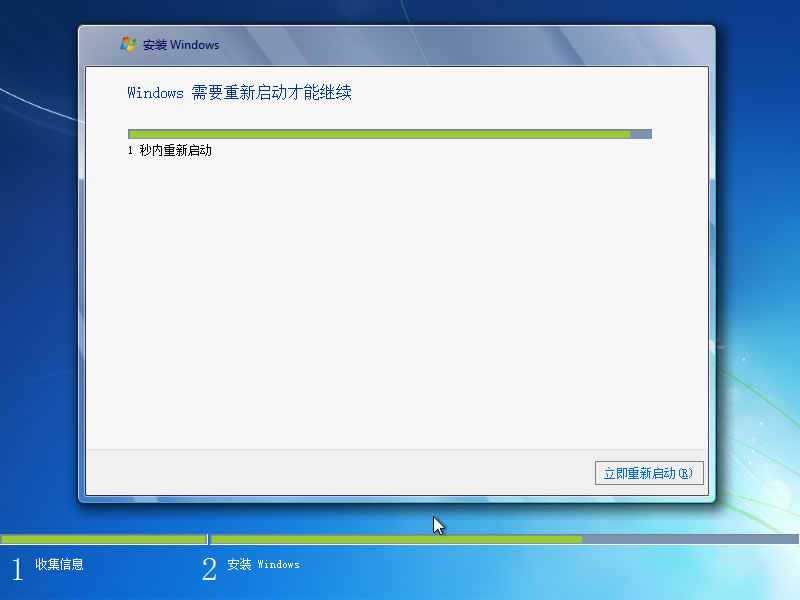
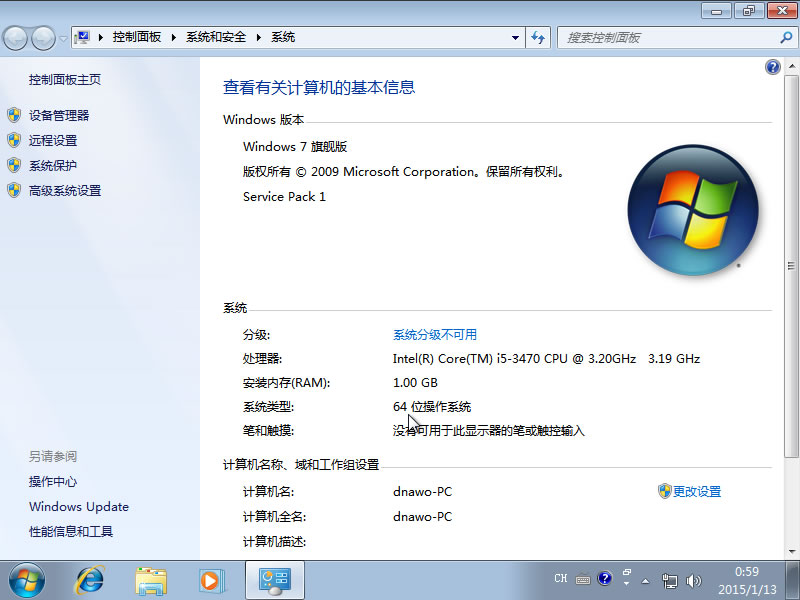
说明:32位WinPE不能运行64位bootsect.exe,直接硬盘安装得下载32位iso找bootsect.exe,nt6 hdd installer本身是32位的,解决了找32位的麻烦,可直接添加引导安装操作系统。
相关链接
[1].nt6 hdd installerv3.1.4 :http://www.pc6.com/softview/SoftView_67909.html
第二步:运行nt6 hdd installer添加引导程序[1]
第三步:重启电脑,选择“nt6 hdd installer mode 1”开始安装Windows7
说明:32位WinPE不能运行64位bootsect.exe,直接硬盘安装得下载32位iso找bootsect.exe,nt6 hdd installer本身是32位的,解决了找32位的麻烦,可直接添加引导安装操作系统。
相关链接
[1].nt6 hdd installerv3.1.4 :http://www.pc6.com/softview/SoftView_67909.html
 上一篇: WinPE下硬盘安装64位Windows7旗舰版示例
 下一篇: Windows8.1:无法使用内置管理员帐户打开Internet Explorer解决方法
 文章来自: 本站原创
 引用通告: 查看所有引用 | 我要引用此文章
 Tags:
Tags:  最新日志:
最新日志:
评论: 0 | 引用: 0 | 查看次数: 4060
发表评论
请登录后再发表评论!

