


 上一篇:
上一篇:  下一篇:
下一篇:  文章来自:
文章来自:  引用通告:
引用通告:  Tags:
Tags:  最新日志:
最新日志:


不错呦!smile@林凯西,确保“准备文件”中的几个文件都有安装,S...您好,看了您这篇帖子觉得很有帮助。但是有个问题想请...我的修改过了怎么还被恶意注册呢 @jjjjiiii 用PJ快9年了,主要是A...PJ3啊,貌似很少有人用PJ了,现在不是WP就是z...@332347365,我当时接入时错误码没有-10...楼主,ChkValue值应为-103是什么意思呢?...大哥 你最近能看到我发的信息,请跟我联系,我有个制...
OpenClaw快速接入飞书消息通道指南
编辑:dnawo 日期:2026-03-24
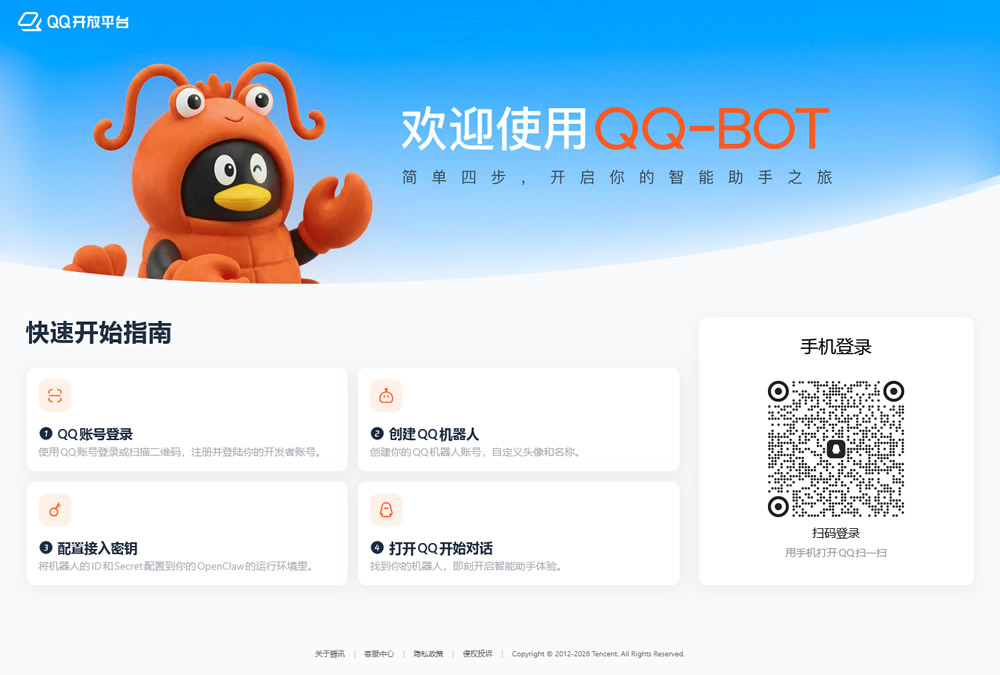
OpenClaw接入飞书消息通道后,即可以在飞书接收和回复OpenClaw消息。
1、创建机器人
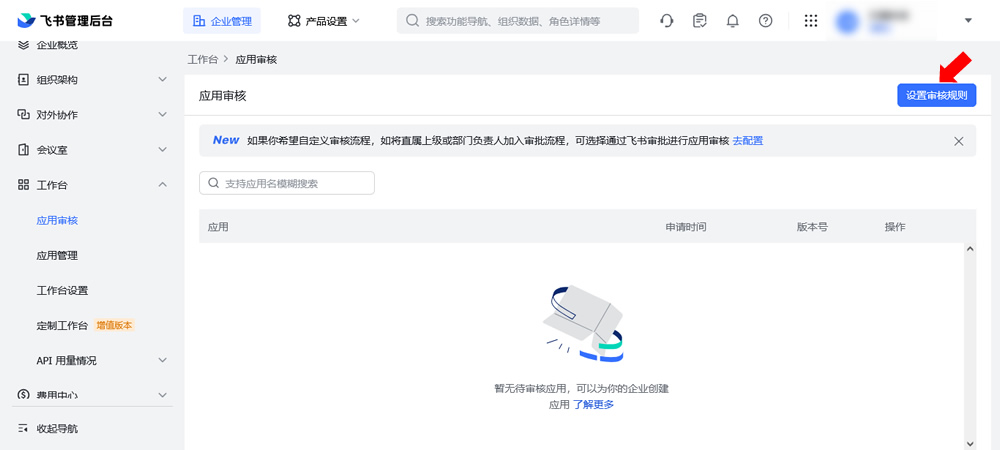
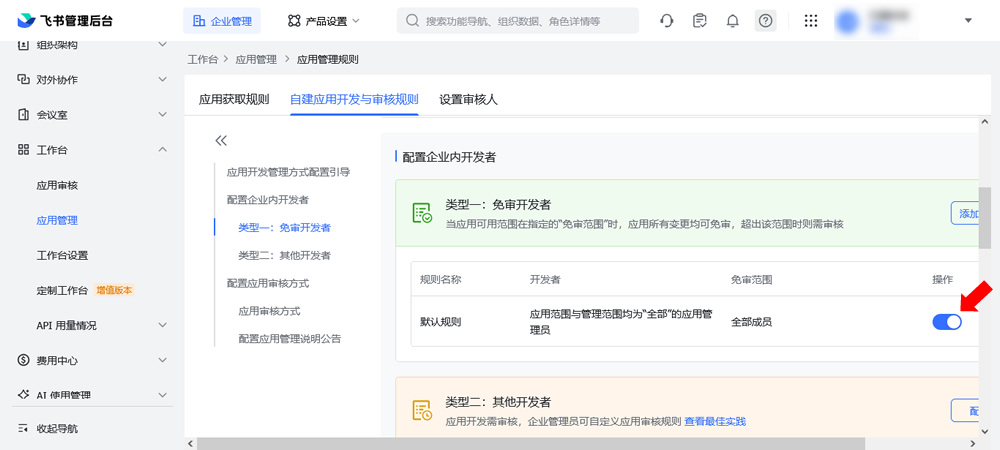
Ⅰ.开启应用免审
在飞书管理后台开启应用免审,避免后面发布应用都得手工审核的麻烦。
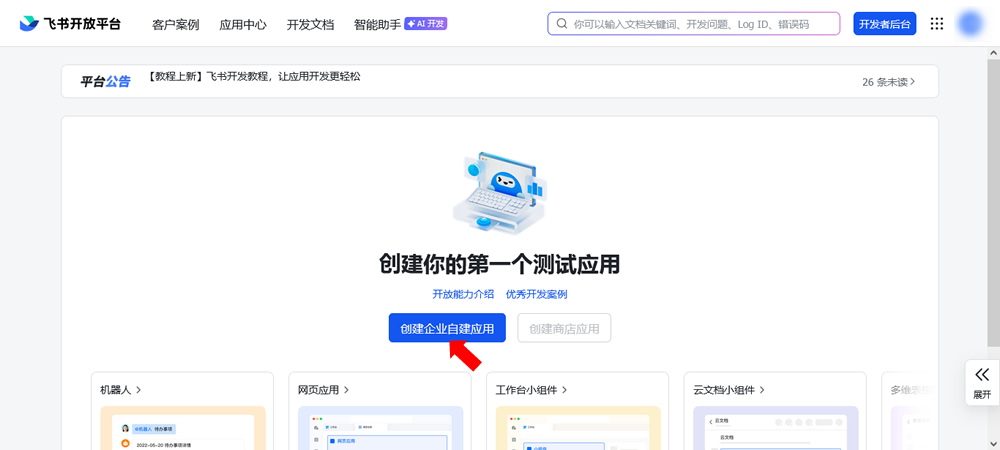
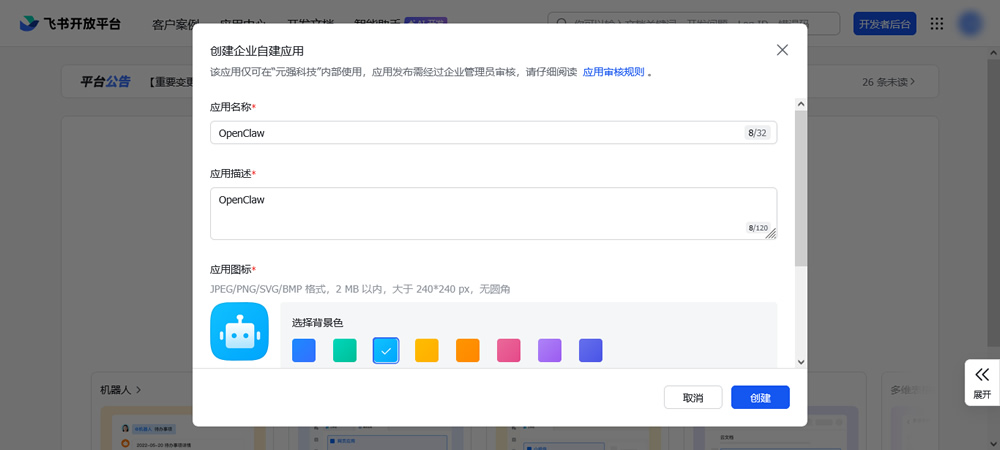
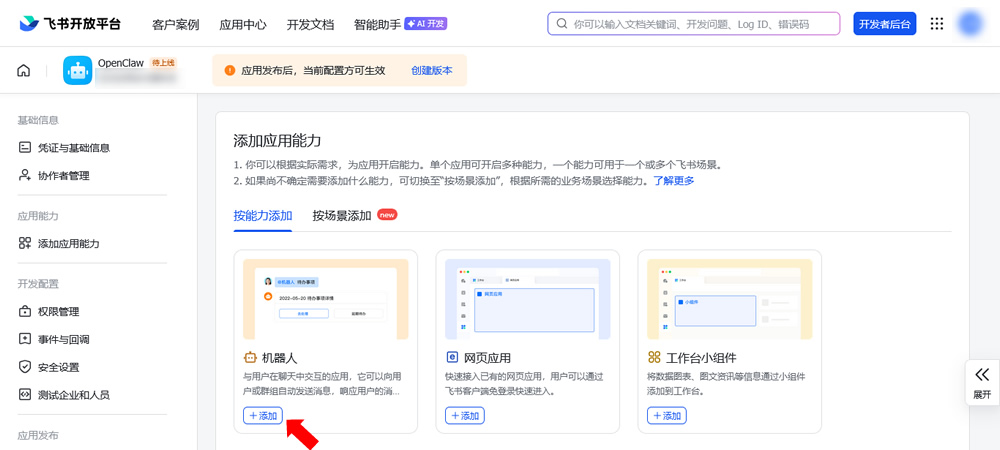
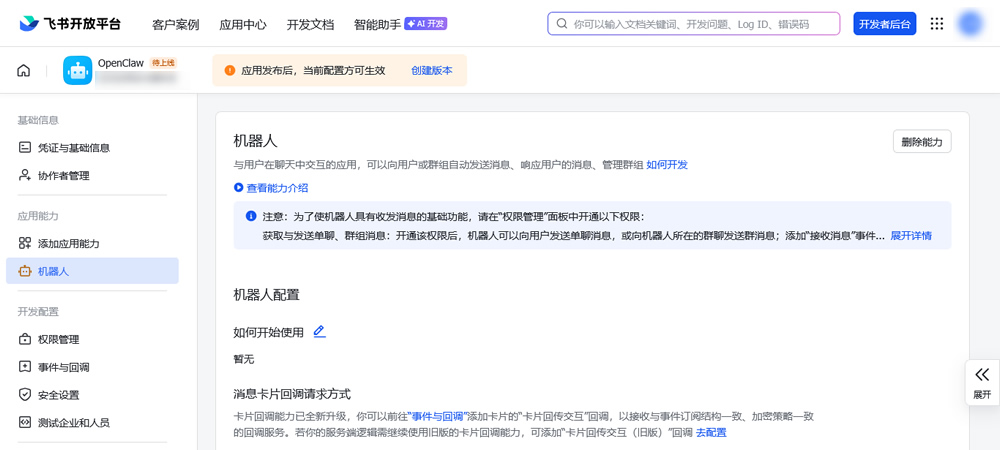
Ⅱ.创建应用和机器人
在飞书开发平台创建一个应用,添加机器人:
Ⅲ.配置事件和回调
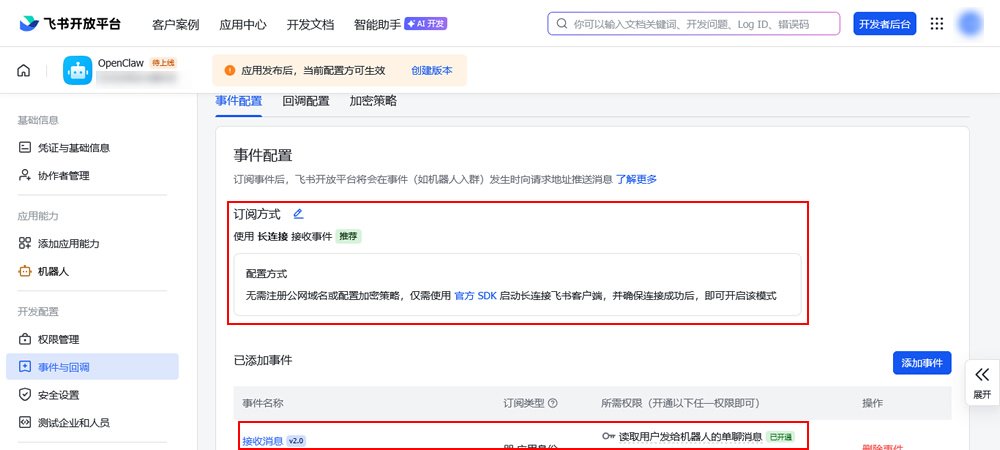
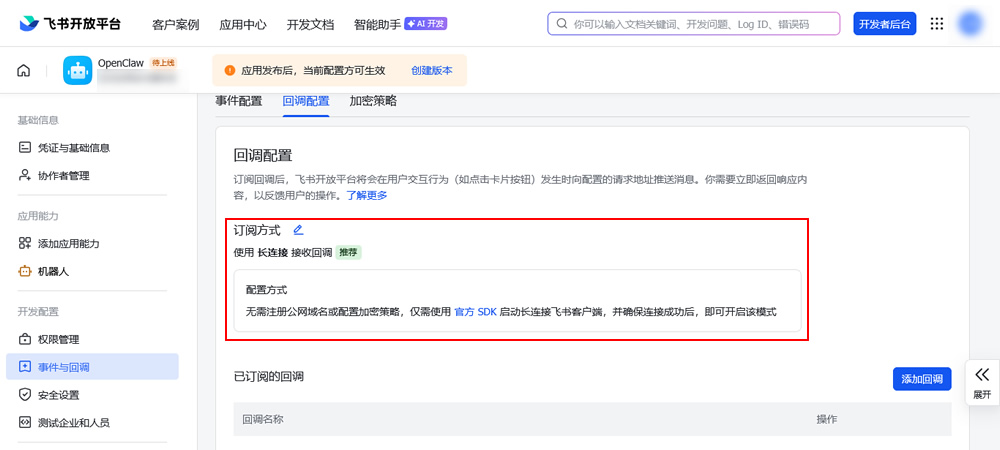
Tips:推荐添加接收消息、消息已读、机器人进群、机器人被移出群这几个事件。
Ⅳ.开通权限
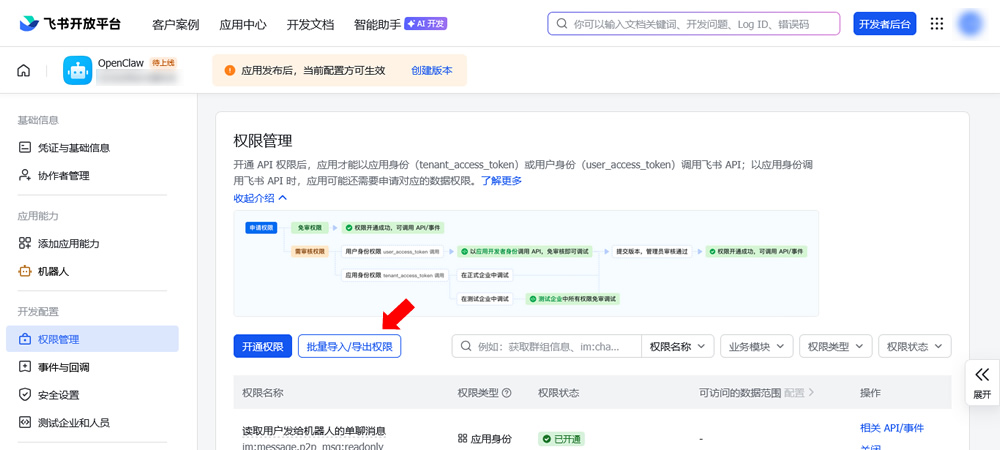
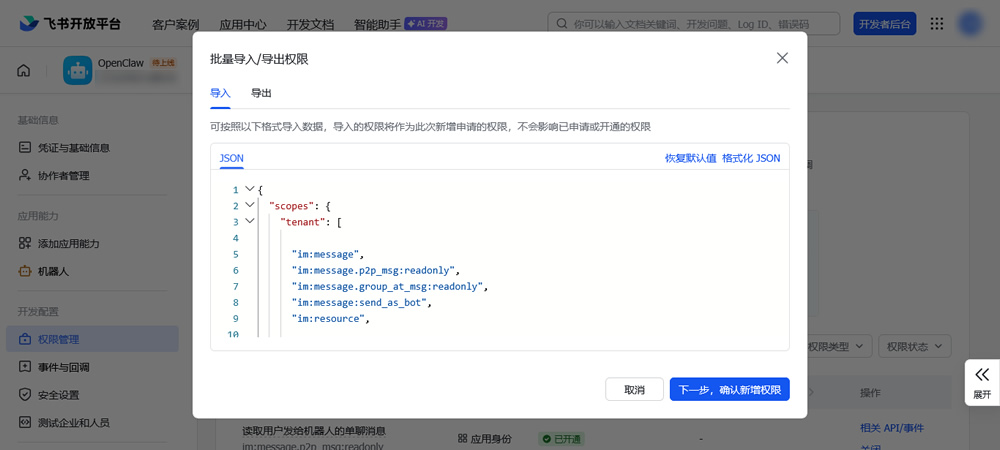
 引用内容
引用内容{
"scopes": {
"tenant": [
"im:message",
"im:message.p2p_msg:readonly",
"im:message.group_at_msg:readonly",
"im:message:send_as_bot",
"im:resource",
"contact:user.base:readonly",
"im:message.group_msg",
"im:message:readonly",
"im:message:update",
"im:message:recall",
"im:message.reactions:read",
"docx:document:readonly",
"drive:drive:readonly",
"wiki:wiki:readonly",
"bitable:app:readonly",
"task:task:read",
"contact:contact.base:readonly",
"docx:document",
"docx:document.block:convert",
"drive:drive",
"wiki:wiki",
"bitable:app",
"task:task:write"
],
"user": []
}
}
"scopes": {
"tenant": [
"im:message",
"im:message.p2p_msg:readonly",
"im:message.group_at_msg:readonly",
"im:message:send_as_bot",
"im:resource",
"contact:user.base:readonly",
"im:message.group_msg",
"im:message:readonly",
"im:message:update",
"im:message:recall",
"im:message.reactions:read",
"docx:document:readonly",
"drive:drive:readonly",
"wiki:wiki:readonly",
"bitable:app:readonly",
"task:task:read",
"contact:contact.base:readonly",
"docx:document",
"docx:document.block:convert",
"drive:drive",
"wiki:wiki",
"bitable:app",
"task:task:write"
],
"user": []
}
}
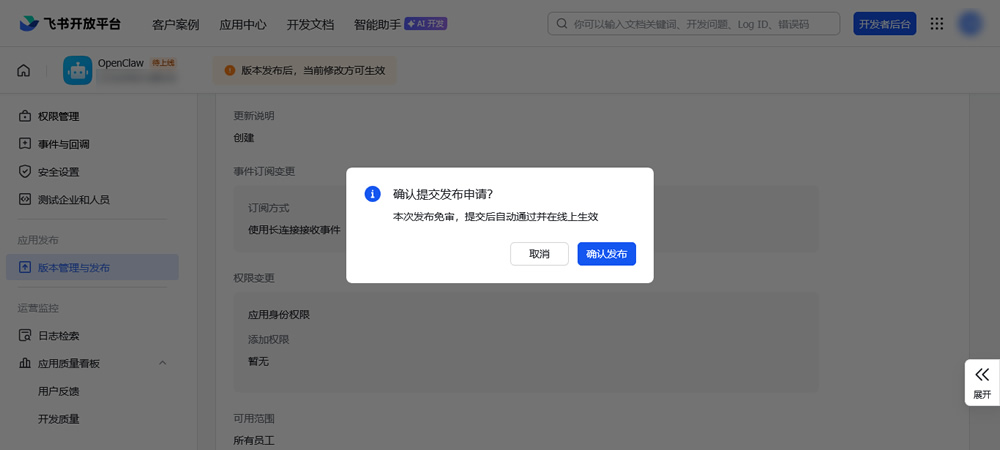
Ⅴ.发布应用
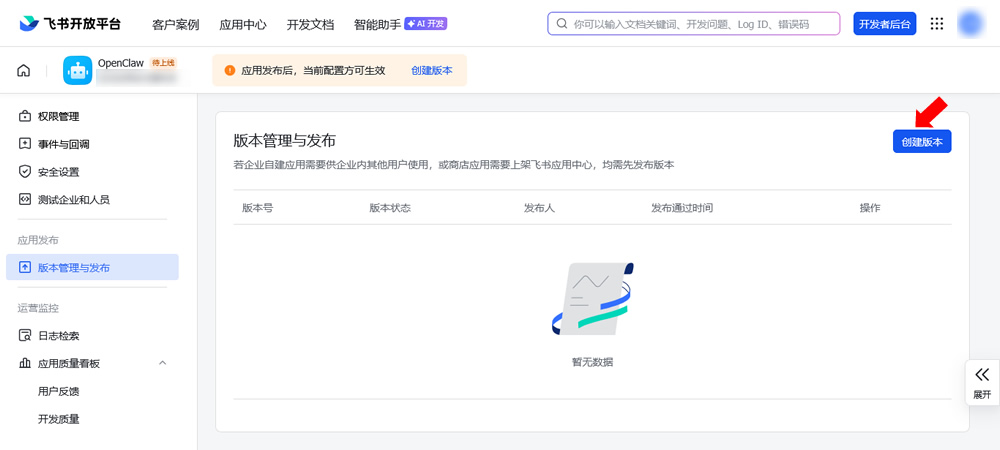
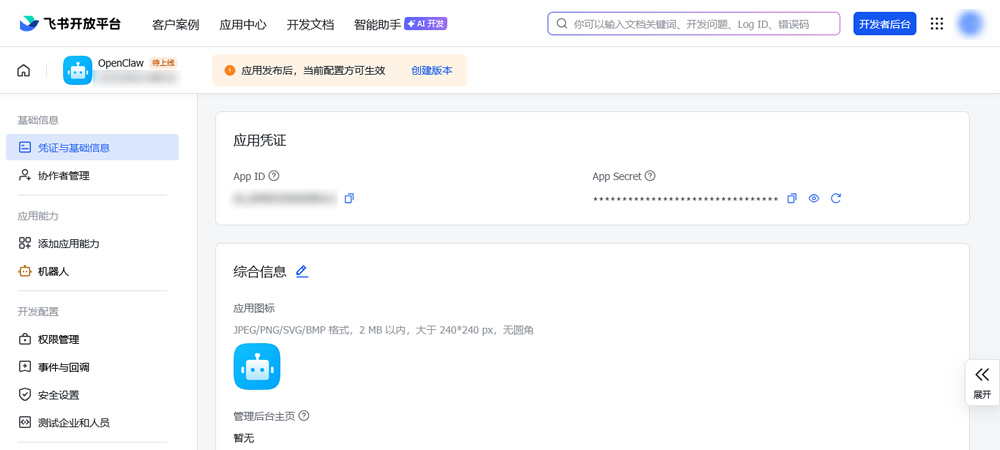
Ⅵ.复制App ID和App Secret
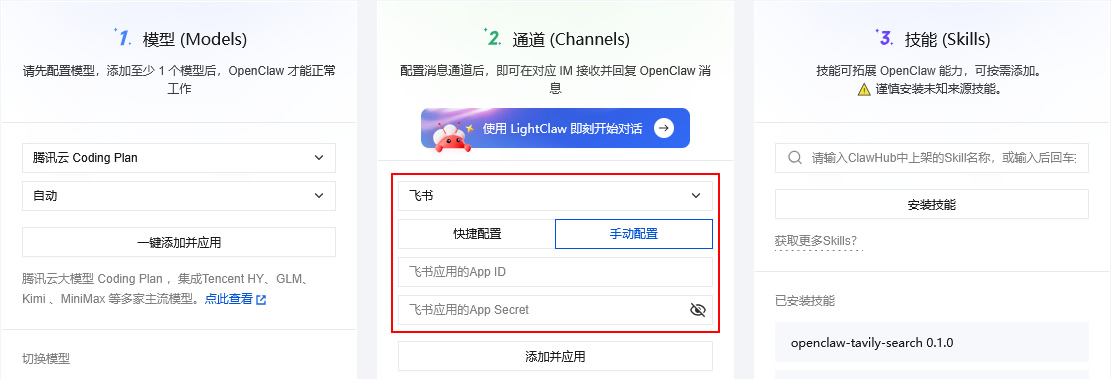
2、配置OpenClaw通道
在腾讯云轻量应用服务器实例Lighthouse部署OpenClaw,粘贴应用App ID和App Secret添加消息通道:
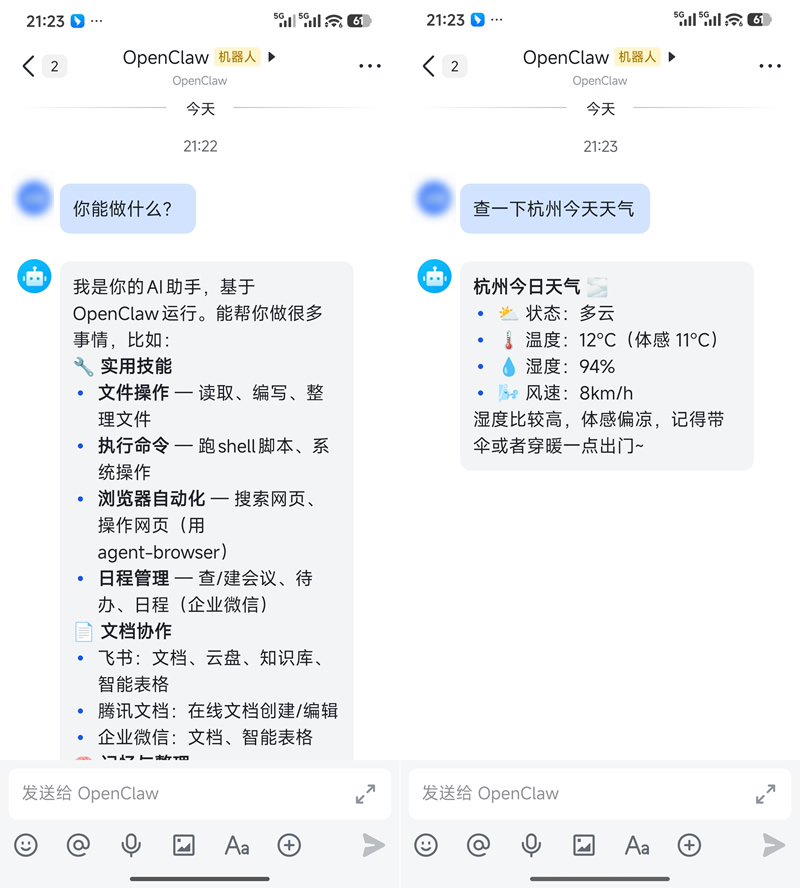
OK,在飞书搜索机器人,然后就可以接收和回复OpenClaw消息了:
如果回复以下内容,将最后一句命令复制到终端执行一下即可:
引用内容OpenClaw: access not
configured.
Your Feishu user id:
ou_7071d2f8514f002ab9d74dca
cd4ba129
Pairing code: HZAGA940
Ask the bot owner to approve
with:
openclaw pairing approve
feishu HZAGA940
configured.
Your Feishu user id:
ou_7071d2f8514f002ab9d74dca
cd4ba129
Pairing code: HZAGA940
Ask the bot owner to approve
with:
openclaw pairing approve
feishu HZAGA940
相关链接
[1].腾讯云轻量应用服务器:https://cloud.tencent.com/product/lighthouse
[2].飞书管理后台:https://ripqbm2y7p.feishu.cn/admin/index
[3].飞书开发平台:https://open.feishu.cn/
[4].云上OpenClaw快速接入飞书指南:https://cloud.tencent.com/developer/article/2626151
评论: 0 | 引用: 0 | 查看次数: 350
发表评论
请登录后再发表评论!

